20
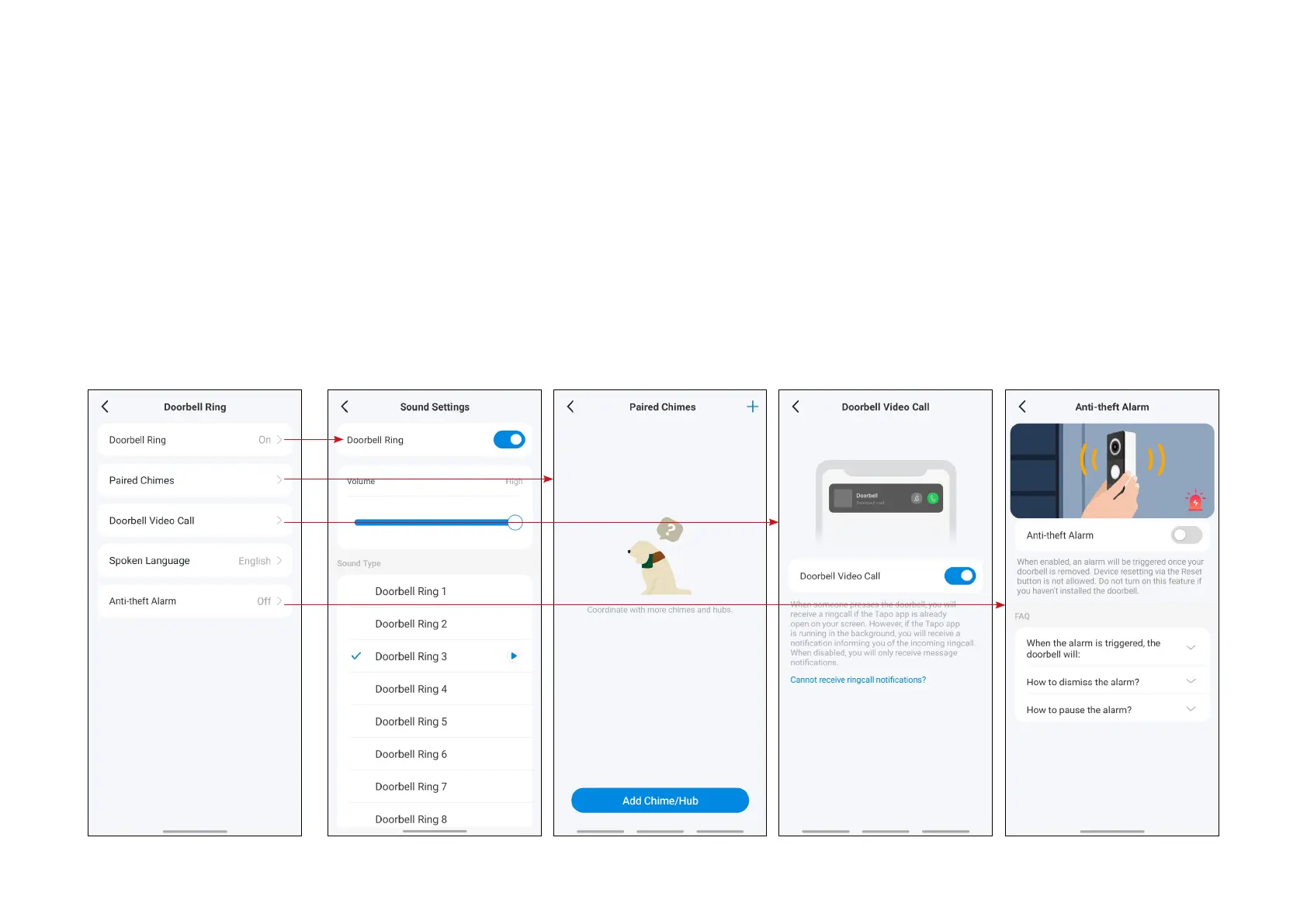
3.3 Set Doorbell settings
Doorbell Ring: Set the ringtone volume of your doorbell.
Paired Chimes: Check paired chimes/hub and add new chimes/hubs.
Doorbell Video Call: When someone presses the doorbell, you'll receive a ring call if the Tapo app is already open on your screen.
Spoken Language: Choose what language your doorbell speaks.
Anti-theft Alarm: When enabled, an alarm will be triggered once the doorbell is removed from the wall.


 To Next Page