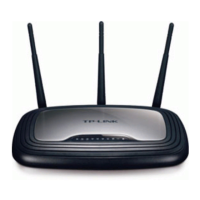
TL-WR2543ND 450Mbps Dual-Band Wireless N Gigabit Router
- 57 -
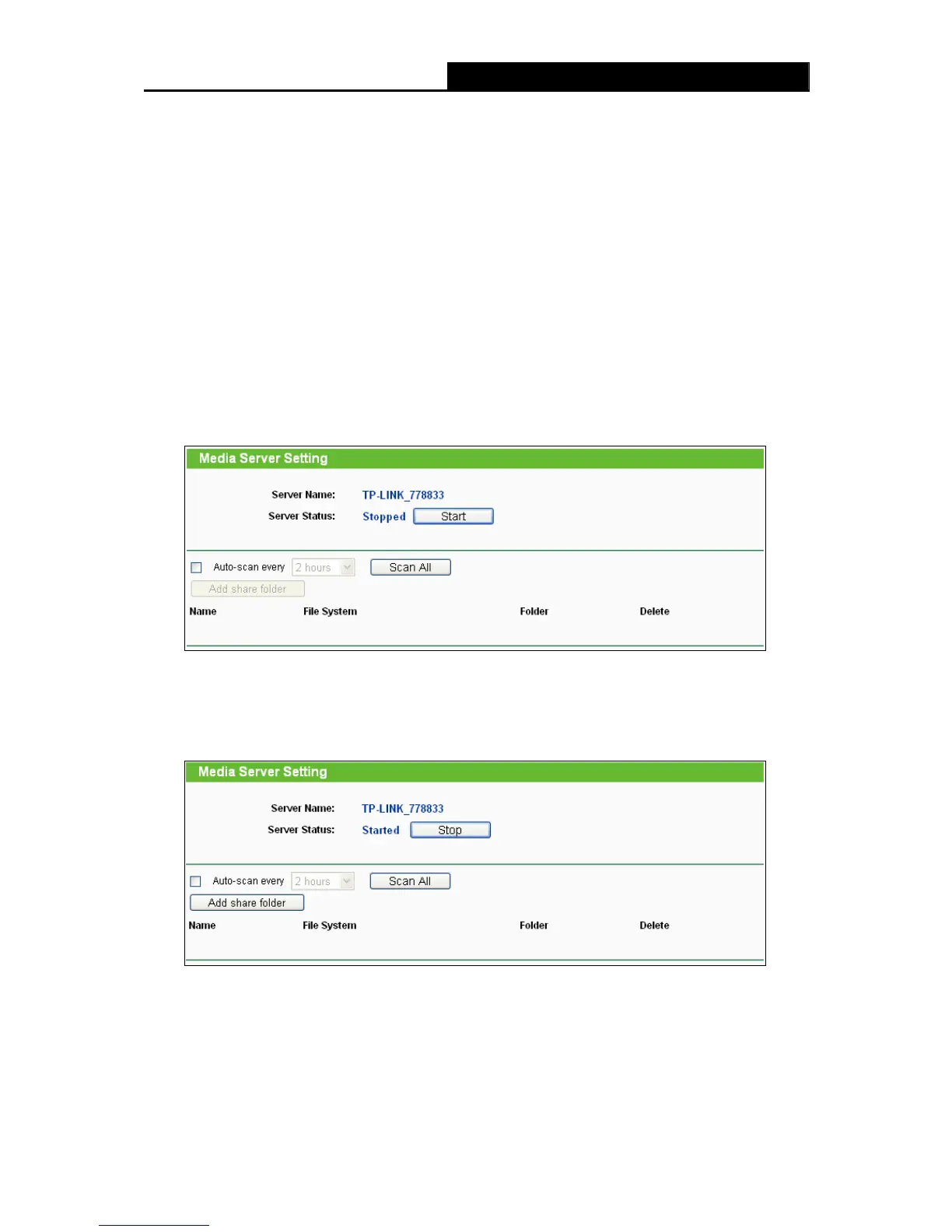
Figure 4-38 Media Server Setting
¾ Server Name – The name of this Media Server.
¾ Server Status - Indicates the Media Server’s current status, started or stopped. You can
click the Start button to start the Media Server and click the Stop button to stop it.
¾ Name - The display name of this folder.
¾ File System - The file system type on the partition can be FAT32 or NTFS.
¾ Folder - The real full path of the specified folder.
¾ Delete - You can delete the share folder by click Delete.
To set up your media server, please follow the instructions below:
1. Plug an external USB hard disk drive or USB flash drive into this Router, and then the screen
will appear as shown in Figure 4-39.
Figure 4-39 Media Server Setting
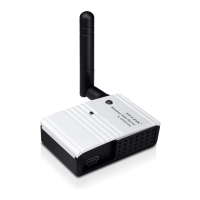
2. Click the Start button to sta screen will appear as shown in rt the media server, and then the
Figure 4-40.
Figure 4-40 Media Server Setting
3. Click the Add share folder arch path of media server. The button to specify a folder as the se
screen will then appear as shown in Figure 4-41.


 To Next Page