TL-WR843ND 300Mbps Wireless AP/Client Router User Guide
- 15 -
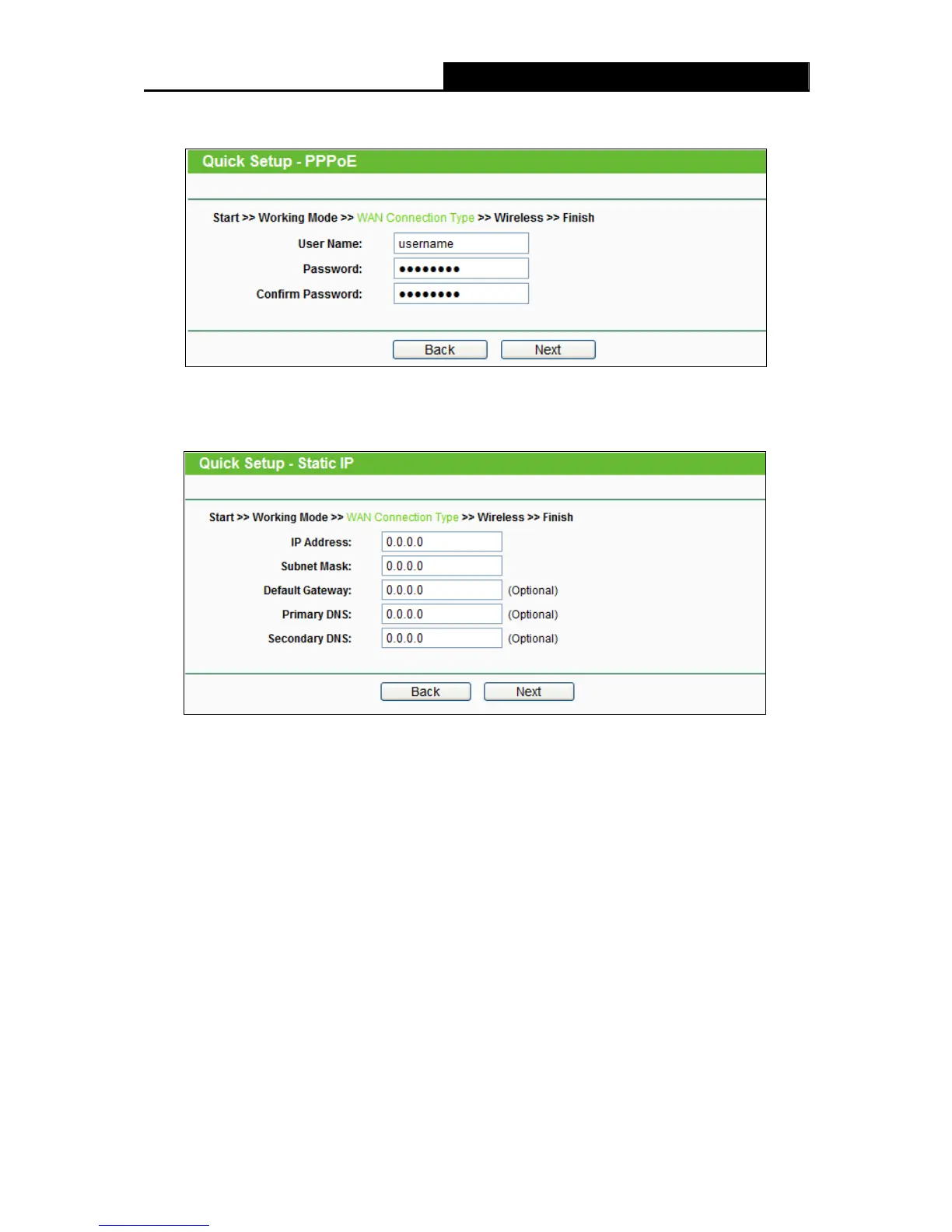
2) If the connection type detected is PPPoE, the next screen will appear as shown in Figure
3-9.
Figure 3-9 Quick Setup - PPPoE
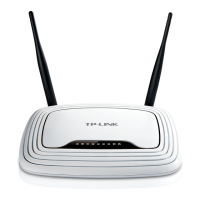
3) If the connection type detected is Static IP, the next screen will appear as shown in
Figure 3-10.
Figure 3-10 Quick Setup - Static IP
3. Click Next to continue, the Wireless settings page will appear as shown in Figure 3-11.












 To Next Page