TL-WR843ND 300Mbps Wireless AP/Client Router User Guide
- 69 -
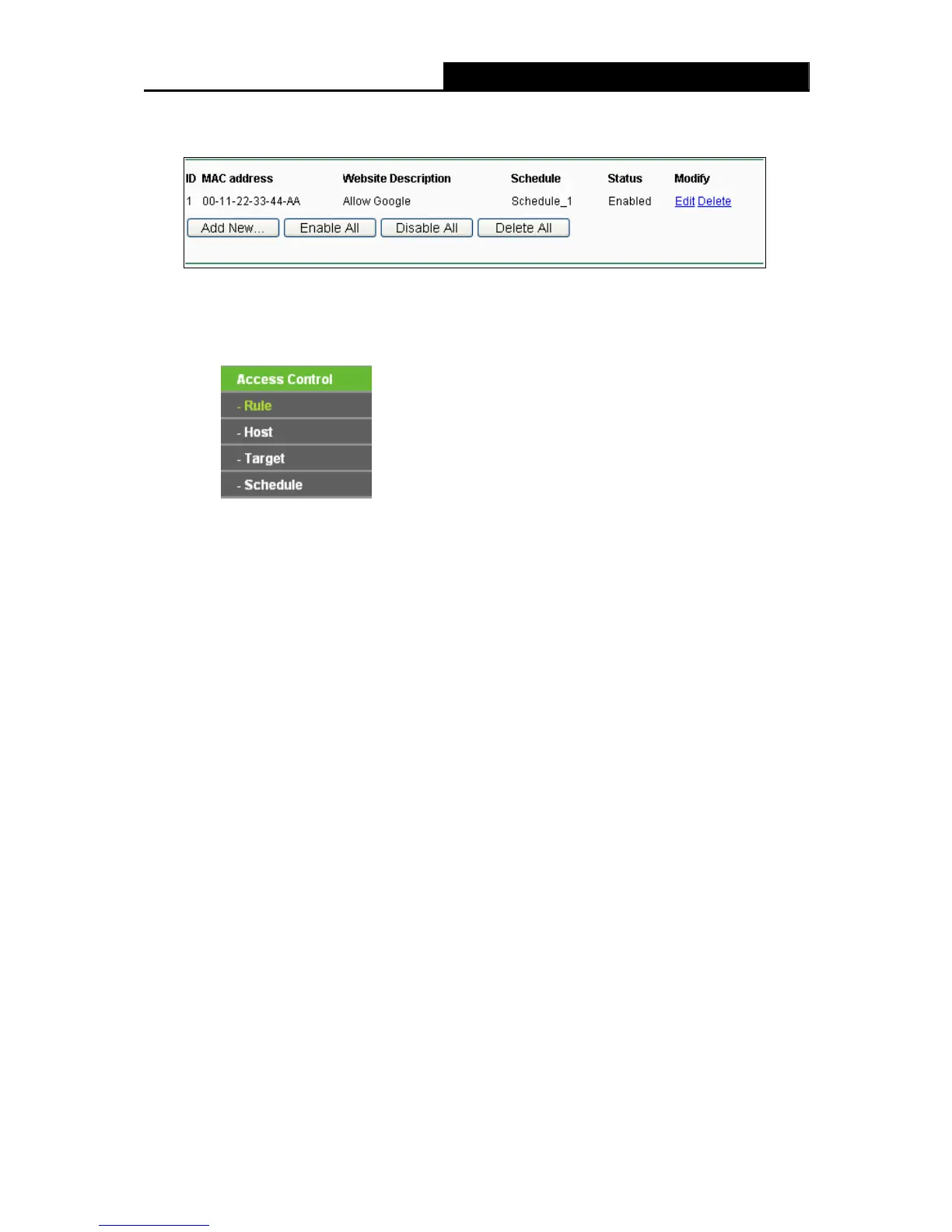
Then you will go back to the Parental Control Settings page and see the following list, as
shown in Figure 4-48.
Figure 4-48 Parental Control Settings
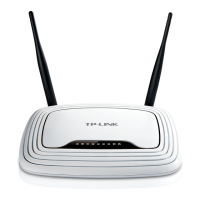
4.12 Access Control
Figure 4-49 Access Control
There are four submenus under the Access Control menu as shown in Figure 4-49: Rule, Host,
Target and Schedule. Click any of them, and you will be able to configure the corresponding
function.
4.12.1 Rule
Choose menu “Access Control → Rule”, you can view and set Access Control rules in the
screen as shown in Figure 4-50.












 To Next Page