TL-WR843ND 300Mbps Wireless AP/Client Router User Guide
- 70 -
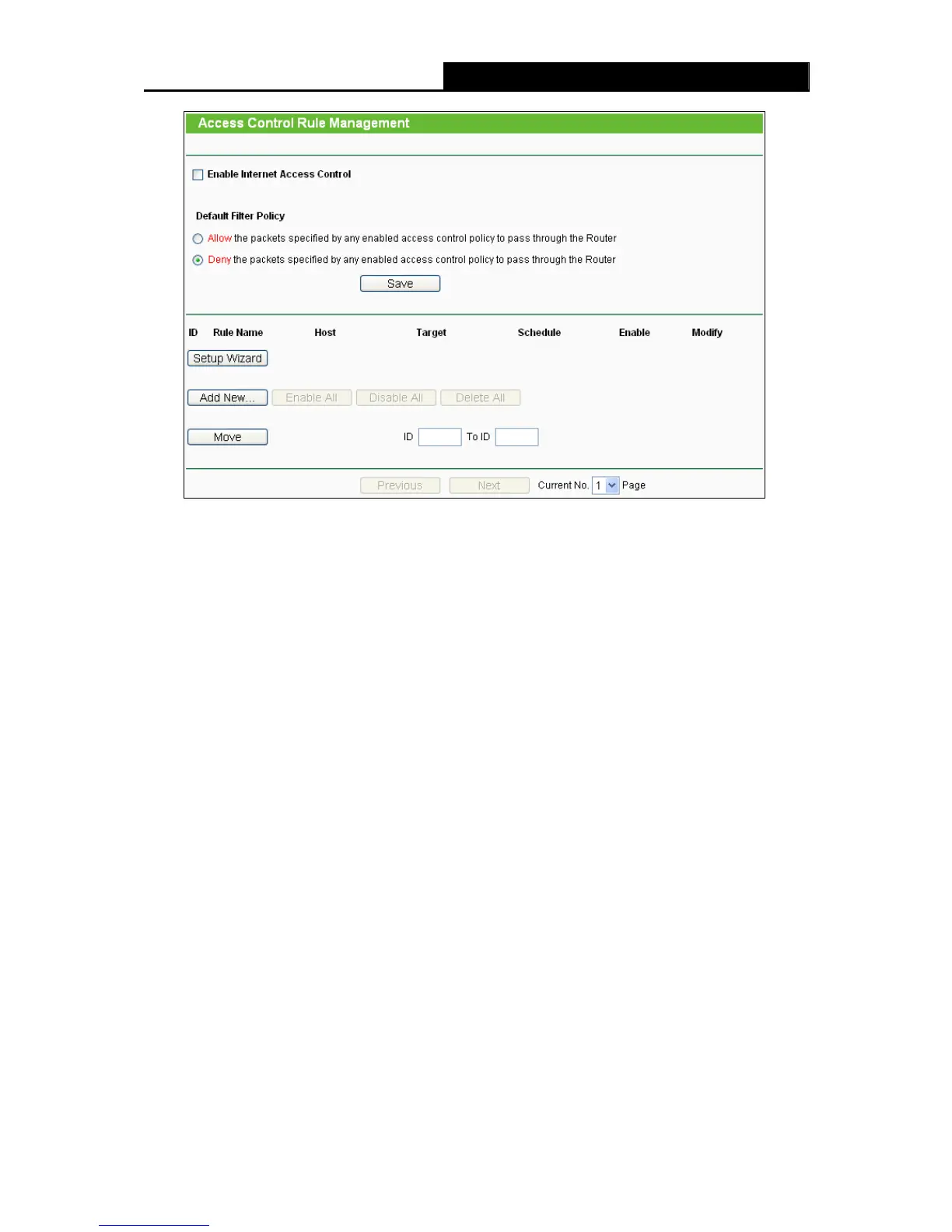
Figure 4-50 Access Control Rule Management
Enable Internet Access Control - Select the check box to enable the Internet Access
Control function, so the Default Filter Policy can take effect.
Rule Name - Here displays the name of the rule and this name is unique.
Host - Here displays the host selected in the corresponding rule.
Target - Here displays the target selected in the corresponding rule.
Schedule - Here displays the schedule selected in the corresponding rule.
Status - This field displays the status of the rule. Enabled means the rule will take effect,
Disabled means the rule will not take effect.
Modify - Here you can edit or delete an existing rule.
There are two methods to add a new rule.
Method One:
1. Click Setup Wizard button and the next screen will appear as shown in Figure 4-51.












 To Next Page