TL-WR843ND 300Mbps Wireless AP/Client Router User Guide
- 21 -
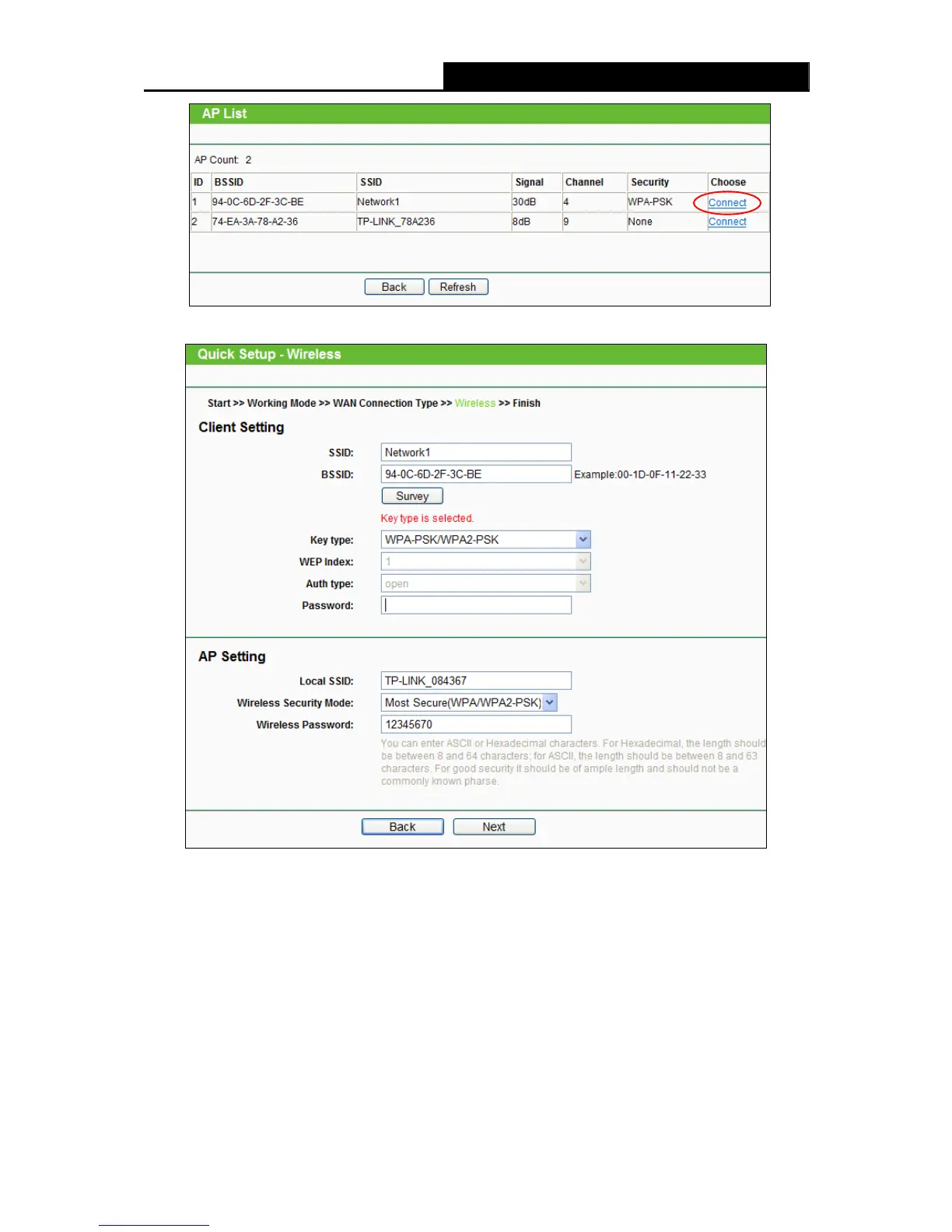
Figure 3-17 AP List
Figure 3-18 Quick Setup – Wireless
Note:
If you know the SSID of the desired AP, you can also input it into the field "SSID" manually.
Local SSID- Enter a value of up to 32 characters. The same Name (SSID) must be assigned
to all wireless devices in your network.
Wireless Security Mode – Select one of the three options: No Security,Secure(WEP),Most
Secure(WPA/WPA2-PSK). WPA/WPA2-PSK is recommended.
Wireless Password- Enter a unique and easy-to-remember password for your own wireless
network.












 To Next Page