TL-WR843ND 300Mbps Wireless AP/Client Router User Guide
- 45 -
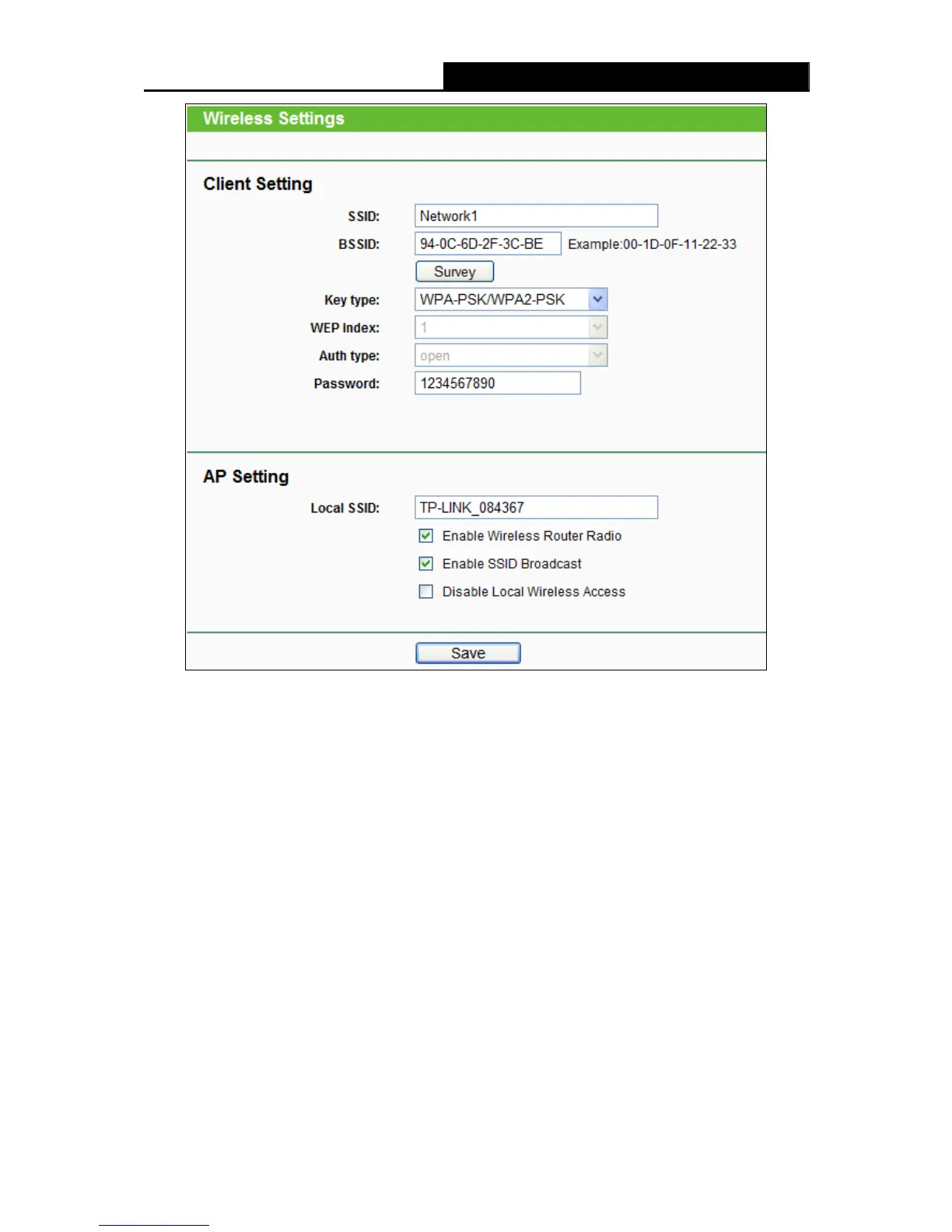
Figure 4-20
Note:
If you know the SSID of the desired AP, you can also input it into the field " Wireless Name of
WISP Station" manually.
Be sure to click the Save button to save your settings on this page.
Note:
1) The operating distance or range of your wireless connection varies significantly based on the
physical placement of the Router. For best results, place your Router.
Near the center of the area in which your wireless stations will operate.
In an elevated location such as a high shelf.
Away from the potential sources of interference, such as PCs, microwaves, and cordless
phones.
With the Antenna in the upright position.
Away from large metal surfaces.












 To Next Page