The Favourites list can be sorted according to various criteria; these are
selected in the menu point 'Sort Favourites by':
Frequency Stations are sorted by frequency in ascending order
Station name Stations are sorted alphabetically by station name
(RDS stations only)
Program ID Stations are sorted by station group (RDS stations
only)
Now use the / buttons to select the desired sort criterion,
and confirm your choice by pressing the button.
stations from
the Favourites
list
•
Call up the Favourites list with the
button.
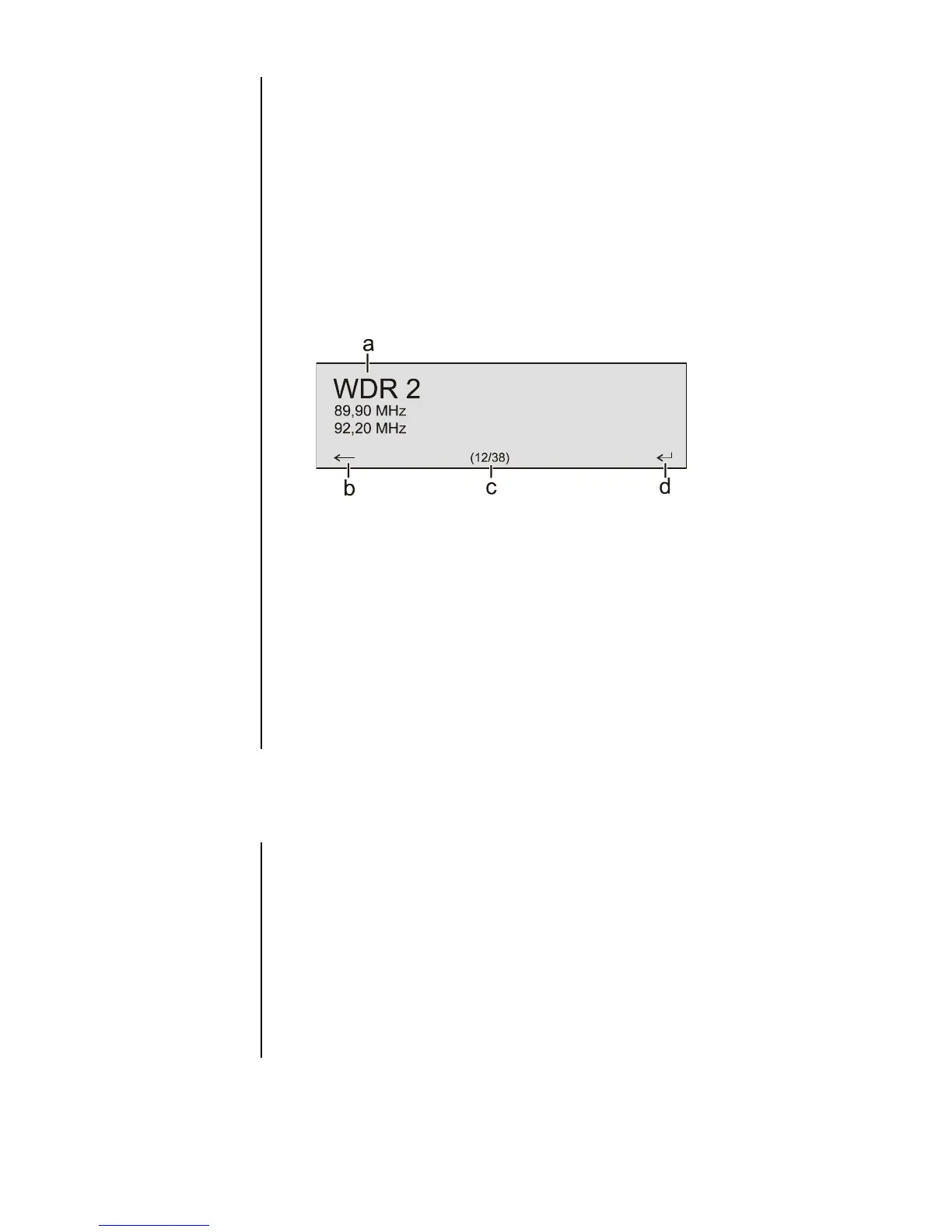
a) Use the / buttons to select a stored station from
the Favourites list. The selected station is displayed in enlarged
form.
b) Press the button to return to the station previously
selected.
c) Position display in the Favourites list.
d) Press the / / / button to select the
station displayed in enlarged form.
You can also select stations directly, without calling up the Favourites list
as described above, by briefly pressing the / buttons in
the Favourites list.
Presets
Select a station, either using the / buttons, or from the
Favourites list.
• Call up the Store Preset function by pressing the button.
• An input window now appears in which you can enter a number using
the numeric buttons ( to ). The Preset is stored when
you press a numeric button. The front panel screen briefly displays the
message 'Preset Stored at' to confirm this.
At any time you can quickly call up a station stored as a Preset by
entering its Preset number using the F100 numeric buttons to
.



 To Next Page