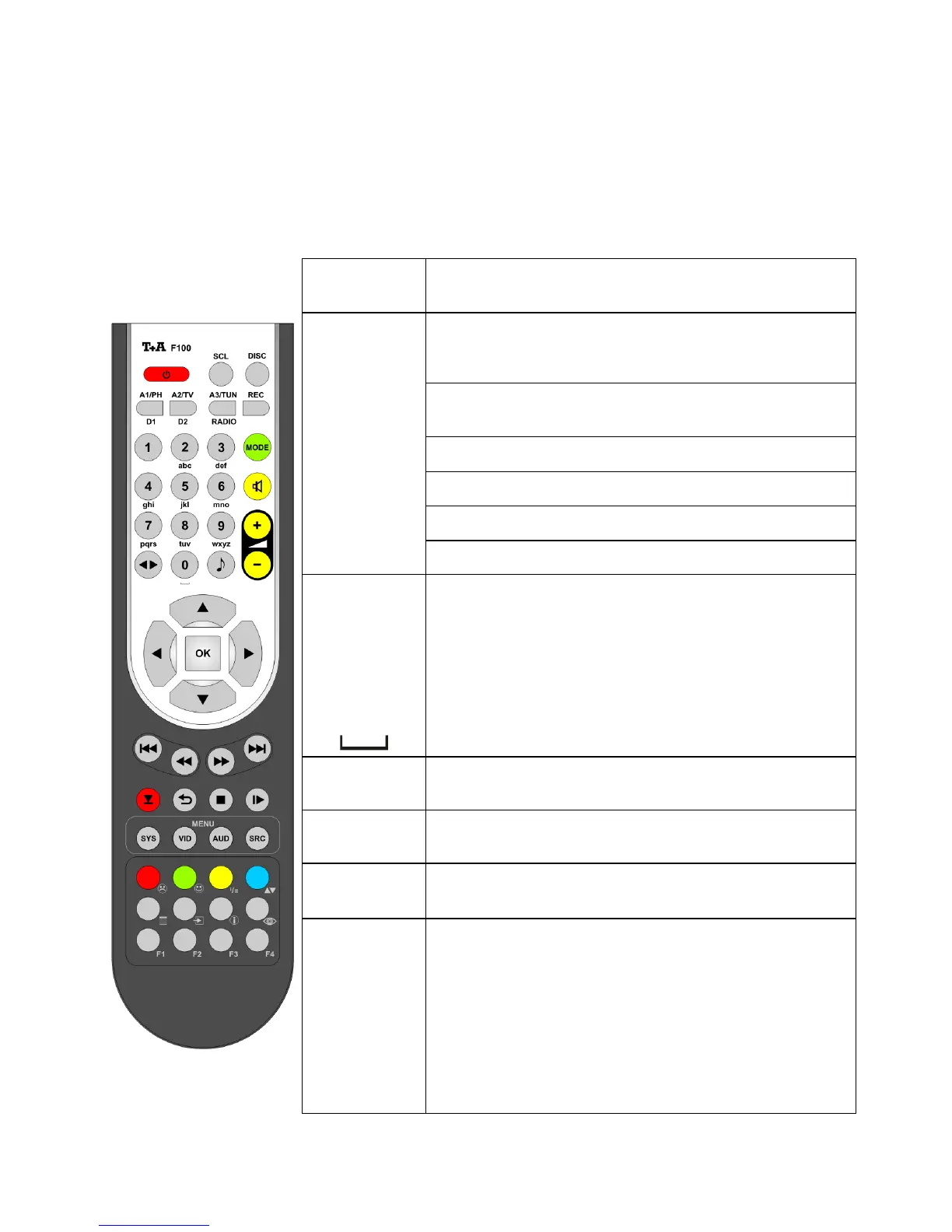
The infrared receiver for the remote control handset is located left of the
screen area of the
. There must be line of sight contact between the
F100 and the screen.
The following tables show the remote control buttons and their function
when operating the machine.
Direct source select buttons. If the machine is switched
off, pressing one of these buttons turns it on and at the
same time selects the corresponding source device.
Selects the Streaming Client function of the
(Internet Radio, access to music servers).
Selects the Bluetooth Receiver function
abc
...
xyz
Direct alpha-numeric input, e.g. track number, quick
station select, radio station.
The buttons and are also assigned
special characters.
During the text input procedure you can use the
button to toggle between numeric and alpha-
numeric input, and between capitals and lowercase
letters.
(green)
Switching between the following modes of operation:
STEREO and VIRTUAL SURROUND.
(yellow)
Switches sound on and off (MUTING)
- +
(yellow)
Reduces / increases volume (volume control rocker)
Tone settings
Brief press opens the tone control settings menu:
Balance / Treble / Bass / Subwoofer / Loudness /
Sound field
The menu points are called up using the /
button, and can be altered using the /
buttons.
For more information on the tone controls please see
the Chapter 'Tone settings' (TONE menu).



 To Next Page