66
Basic settings, Installation,
Using the system for the first time
Connections
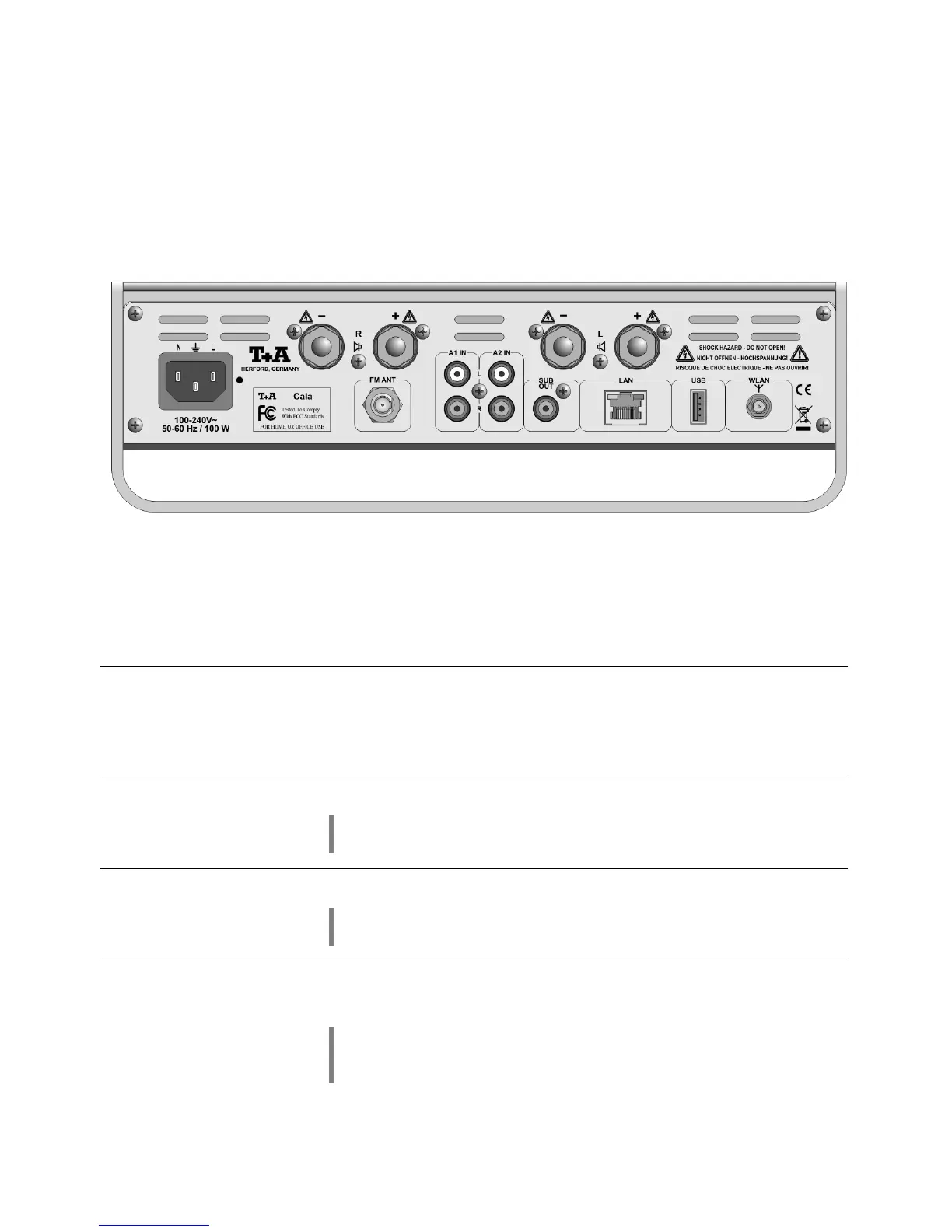
The mains lead is plugged into this socket.
For information on correct mains connections please refer to the
notes in the Chapters 'Using the system for the first time',
'Wiring' and 'Safety Notes'.
aerial input marked FM ANT which is
suitable for a cable connection as well as a standard domestic
radio aerial. For first-class reception quality a high-performance
aerial system, competently installed, is a fundamental necessity.
Universal analogue stereo sound input
This input is equipped with an automatic power on function. Please
refer chapter 'System settings / source settings'.
Universal analogue stereo sound input.
This input is equipped with an automatic power on function. Please
refer chapter 'System settings / source settings'.
Output socket for an active sub-woofer.
The use of a sub-woofer is optional.
If a sub-woofer is connected, it must be switched on in the
Loudspeaker menu (see Chapter 'System Settings,
Loudspeaker').



 To Next Page