76
The Configuration for a WLAN connection
Parameters for
a Radio
Network
Connect the WLAN aerial (supplied) to the
WLAN aerial socket,
and ensure that no cable is attached to the
LAN socket.
• Switch the
on, and select the Streaming Client function by
pressing the button.
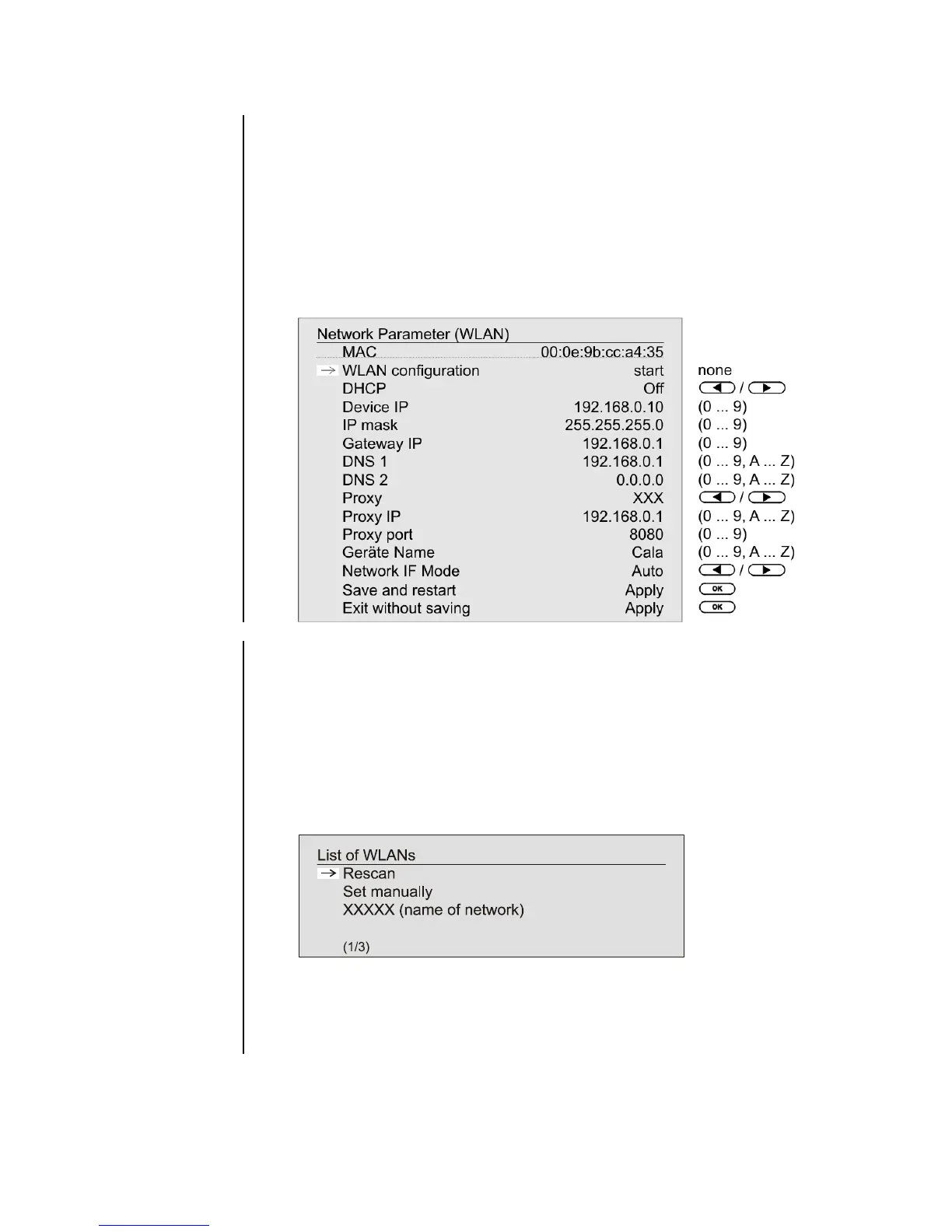
• Now call up the Configuration menu as described above: with a long
press on the button. You should now see the menu reproduced
below, dis-playing the network parameters.
and Selecting
the Network
First select the menu point
, and activate it
by pressing the button.
A menu appears showing these points:
• Rescan - initiates new search for accessible radio
networks
• Set manually - adding a WLAN manually
After a brief delay the networks present in the vicinity are listed on the
screen.
You can use the 'Rescan' function to start a new search for networks
present in the vicinity.
Please select one of the networks located, and activate it by pressing the
button.



 To Next Page