10
3. Setup/Log in
You can change the device's settings in the Setup menu. It is possible to protect
the Setup menu with a password. For more information, see section 3.4.
Note:
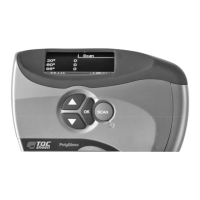
If the Setup menu is password protected, the Log in option displays in the main
menu. Select Log in to enter the password and display the Setup menu.
Setup
1. Select Setup.
2. Press OK to display the Setup menu.
Setup
► Geometry Clear mem.
Calibratio
Time Date
Scan Limit
Power saving
Password More…
Back
Setup 2
Language
Device info
Back
Figure 3
‑
1 The Setup menu
The Setup menu contains the following submenus:
• Geometry
• Calibration
• Scan Limits
• Password
• Clear memory
• Date/time
• Power saving
• Language
• Device info
These submenus are described in this sequence in this chapter.
Log in
1. Select Log in in the main menu and press OK. The Log in screen displays. The
first position of the four-digit password is selected.
2. Use the arrow buttons to change the digit and press OK. The second position is
now selected.
3. Repeat the above procedure for the second, third and fourth positions.
The correct password displays the message "Password accepted." The Log in option
in the main menu is replaced with Setup. You can now change the device's
settings.


 To Next Page
 Loading...