18
How to use measurement &
calibration function
1 Point the microscope onto a target object e.g. a ruler;
rotate the focus wheel to get a clear focus.
2 When the focus at the clearest point, take a snapshot
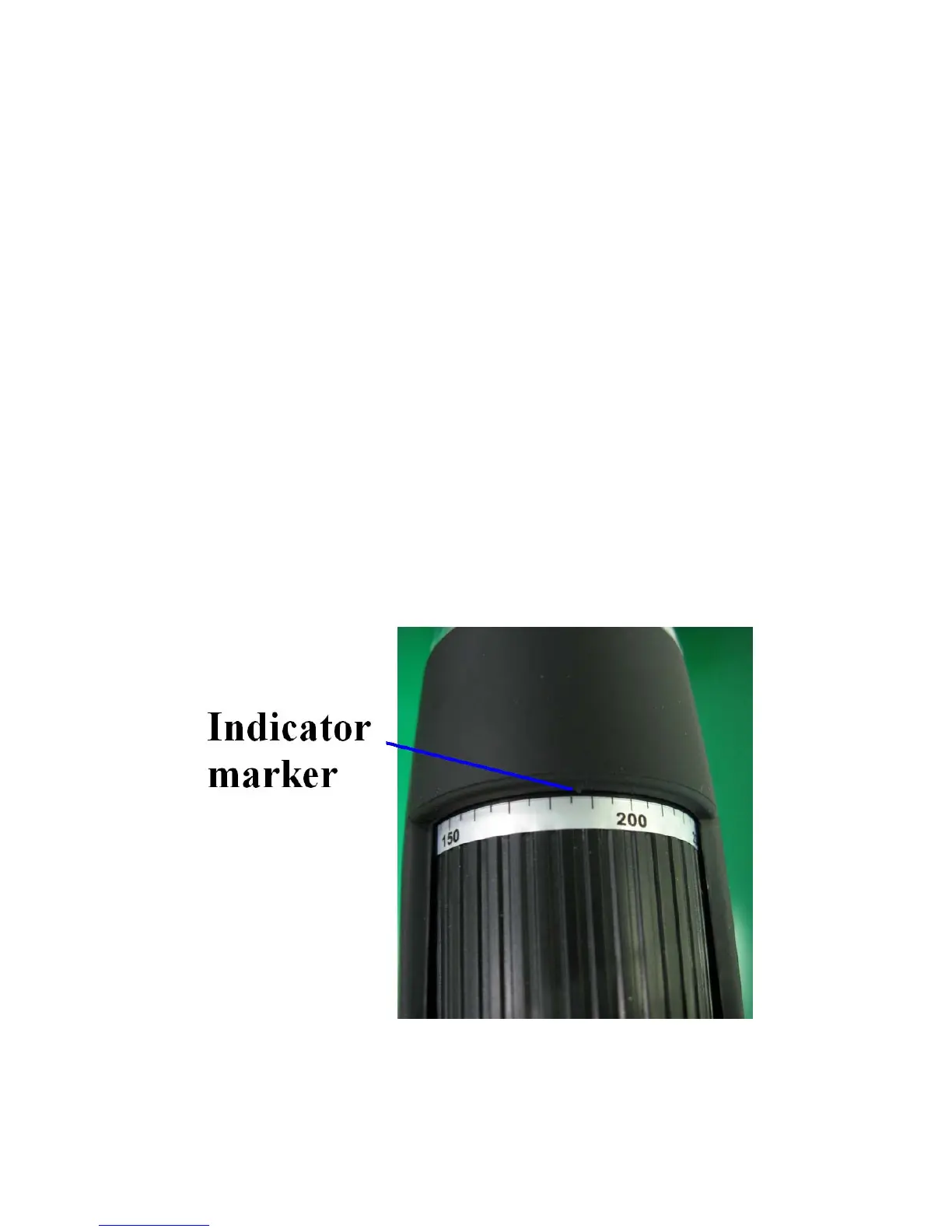
3 Watch the calibration at the lower-end of the focus
wheel; note down the magnification value that
corresponds to the indicator marker on the
microscope body as shown below. That value is the
magnification at which the focus was set and the
image taken. (This is very important, since only with
the magnification ratio noted down can the object
size be worked out at later steps!!)


 To Next Page