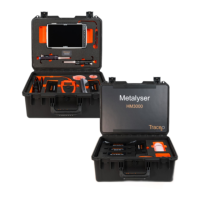
Metalyser
®
Portable HM1000
Instruction Manual
v 5.0
Conditioning step
not completed
Wipe end of Working Electrode, polish and
re-condition as per procedure
No heavy metals in
solution
Test with known amount of standard solution
Results lower
than expected
Ensure stirrer is rotating by looking into the
SAB or lighting touching the bottom to
determine stirrer is working, if the stirrer is
stuck, use stirrer oil as described on page 13
Physical mask over
the electrode
Ensure no debris – for example, leaves – are
physically masking the electrode surface,
preventing the analysis from occurring
Results
increasing with
each run
Instrument is not designed to deal with strong
organics; system is for natural rivers and
water courses
The Metalyser
®
has been designed for low
level ppb analysis in natural water. The
instrument will measure high limits by
a) choosing a shorter deposition time (i.e.
change default from 60 to 30 seconds when
prompted in the Set Deposition time menu
during the course of the run)
b) diluting the sample by a known amount
and multiplying the result back to the original
solution
Metalyser
®
not
responding to
key press
First turn off the Metalyser
®
, wait for a few
seconds and then turn it back on. If this does
not fix the problem, disconnect the battery
and reconnect. If the fault persists, contact
the supplier to organise a return
Disconnect Metalyser
®
from Metaware, turn
of the Metalyser
®
and then turn it back on
after a few seconds. This should give control
back to the Metalyser
®
.


 To Next Page