
 Need help?
Do you have a question about the TRACKER.COM GL300 and is the answer not in the manual?
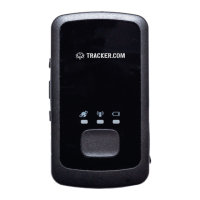
Identifies physical buttons and indicators on the device.
Initial charging and activation procedure for the device.
Instructions for powering the device on and off.
Information about the SIM card slot.
Details on the functionality and assignment of the SOS button.
Information on the charging port.
Explains GPS reception and battery level indicator meanings.
Indicates the meaning of GSM network status signals.
Guide to using the admin.tracker.com portal for tracking.
 General
| Brand | TRACKER.COM |
|---|---|
| Model | GL300 |
| Category | GPS |
| Language | English |

 To Next Page