3130
DE FR IT EN
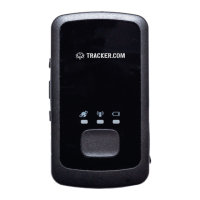
Switching on/off
Status display for GPS reception
Battery display
SIM card slot
Mini USB port
SOS button
The GPS Locator is precongured and equipped
with a SIM card and will work only with this card.
Here you can recharge the GPS locator using the
AC adapter.
Press the SOS button for 3 seconds.
The SOS button can be assigned with the following
actions:
1. sending an e-mail
2. sending a SMS (with the appropriate SMS credit)
These actions must be created in the dashboard under
https://admin.tracker.com
Switching on
Push the On/Off button for a short time. The
battery display (6) lights up for a short time and
the GSM display (7) begins to ash.
Switching off
Push the On/Off button for 2 seconds.
Flashes
Search for satellites in progress.
Lights up constantly
The GPS position is valid.
Fast ash
Charger inserted and charging.
Constantly lit
Battery fully charged.
Slow ash
Power low alert.


 To Next Page