27
DE FR IT EN
Thank you
Contents
for choosing Tracker.com! In the following pages you
will nd key information about how to operate your
GPS Locator.
The GPS Locator is precongured and equipped with
a SIM card. It works only with the SIM card installed
by Tracker.com.
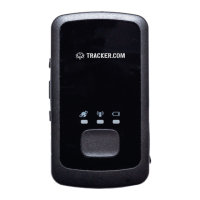
GPS Locator buttons and components
First steps
Switching on/off
SIM card slot
SOS button
Mini USB port
GPS reception status display
Battery display
GSM reception status display
Dashboard admin.tracker.com
28
29
30
30
30
31
31
31
32
32


 To Next Page