TRACKSOL ETR USER GUIDE V.KE.20.2
Ezeemoney Ltd
Hurlingam Park, Arwings Khodek Road, Nairobi | 0724566302
Approved ETR supplier – TrackSol ETR
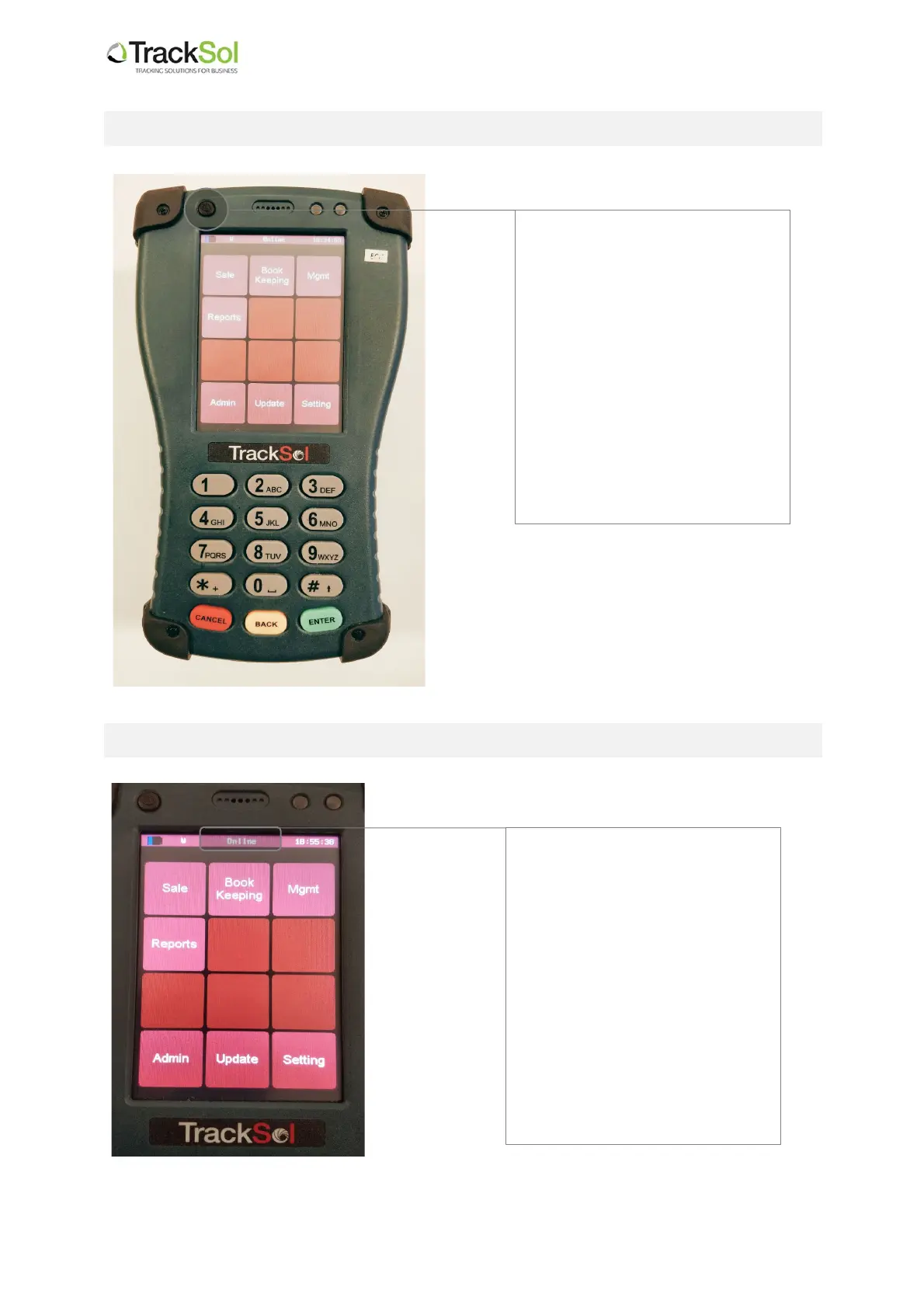
1. How to switch ON and switch OFF the TrackSol ETR terminal
2. How to check if the TrackSol ETR is online
Press this circular button that is
located on the top left corner of
the device to power on or off the
ETR terminal.
To Power on:
Press and hold for 2 second. It
will switch on.
To power off:
Press and hold for 2 seconds. It
will power off. Press for 2
seconds to power on
To know if the ETR is connected,
monitor this section at the top of
the screen on your ETR device.
If the ETR is online it will display
“Online” as shown in this
diagram.
If the ETR is not online, it will
display a number such as “ST:
50. In this case, please check
your data connection or contact
your ETR supplier for support.


 To Next Page