TRACKSOL ETR USER GUIDE V.KE.20.2
Ezeemoney Ltd
Hurlingam Park, Arwings Khodek Road, Nairobi | 0724566302
Approved ETR supplier – TrackSol ETR
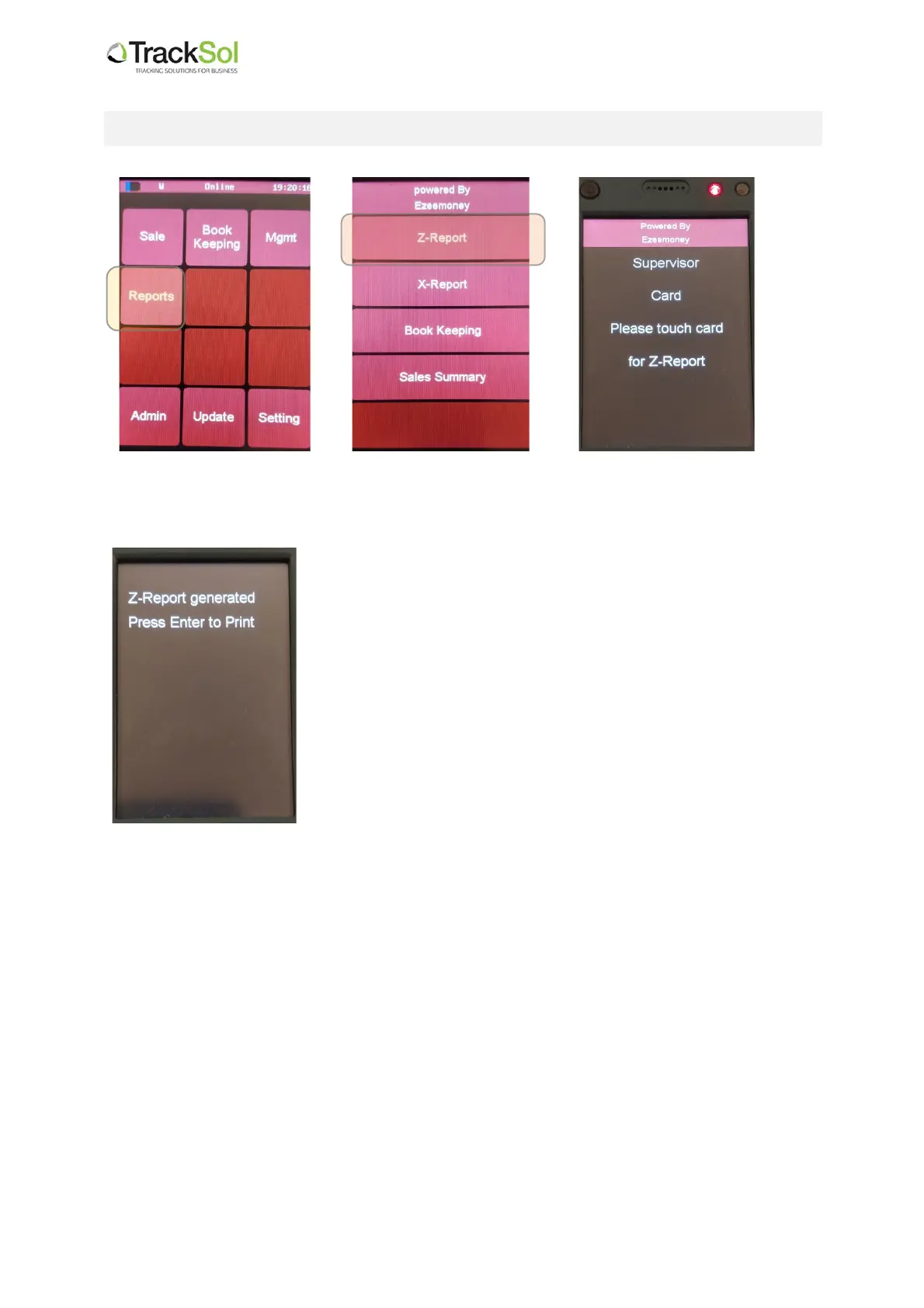
3. How to print a Z Report from the ETR
3.1 Select Reports 3.2 Select Z – Report 3.3 Tap the supervisor card
to approve the printout
.
The ETR will then confirm this action then respond and ask you
to press Enter to print
3.4 Press Enter and the Z Report will print out automatically.


 To Next Page