TRACKSOL ETR USER GUIDE V.KE.20.2
Ezeemoney Ltd
Hurlingam Park, Arwings Khodek Road, Nairobi | 0724566302
Approved ETR supplier – TrackSol ETR
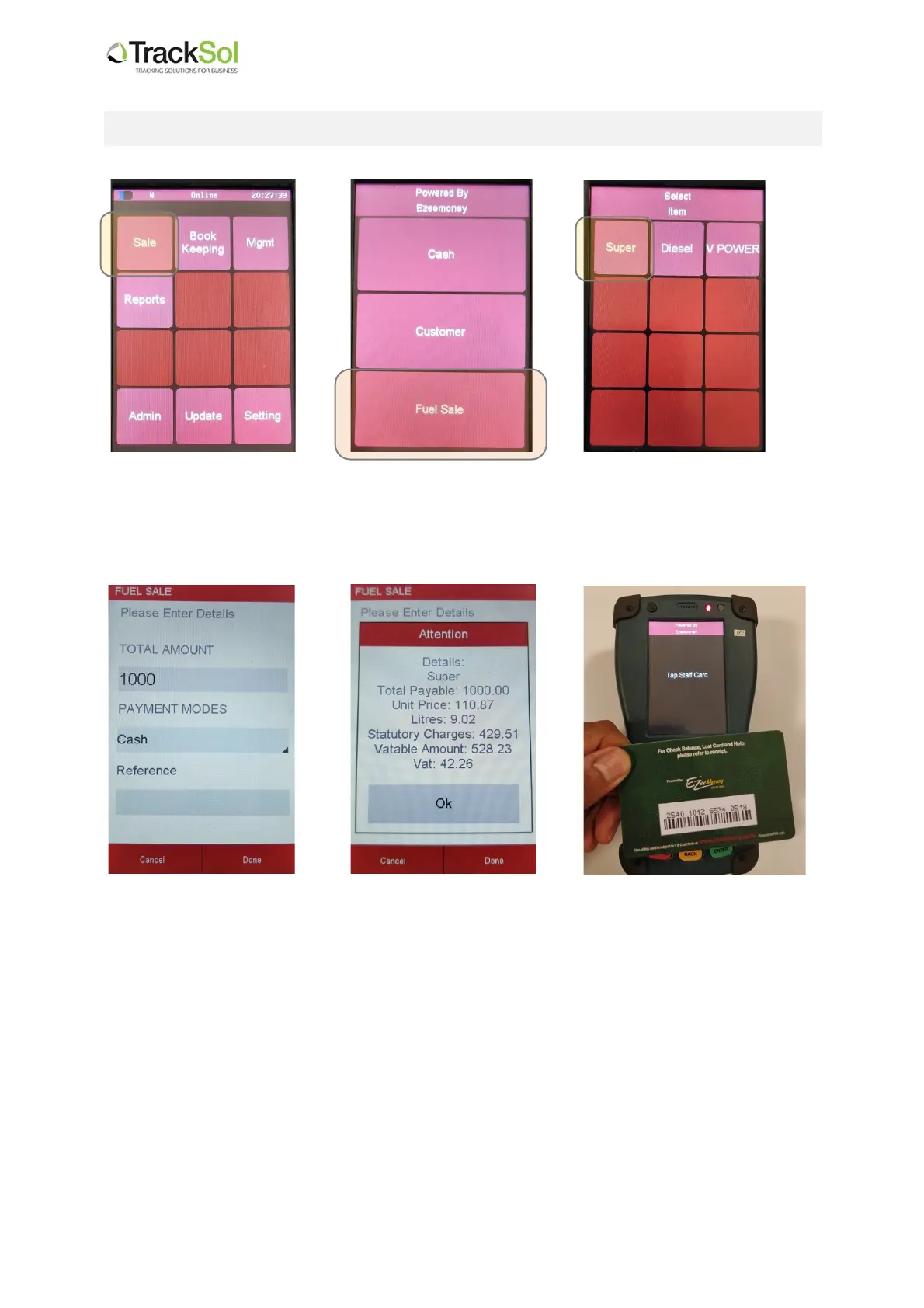
4. How to make a fuel sale from the TrackSol ETR terminal
4.2 Then select Fuel Sale
4.3 Select type of fuel
e.g. Super
4.4 Enter amount,
and ensure the correct
payment mode is
selected
(cash or MPesa)
Then,
Press Done
4.5 The ETR will display all
the details of the
transaction for you to
confirm.
If correct,
Press OK
4.6 Tap operator card on
the ETR keypad as
shown.
This will approve the
transaction and print
out the ETR customer
receipt.


 To Next Page