8 EN
Music control
Task Button Operation
Play or pause
music.
Press once.
Volume up/
down.
/
Press once or
press and hold.
Skip forward.
Press once.
Skip backward.
Press twice.
Enable/disable
SafeSound.
Press once.
Call control
Task Button Operation
Pick up/hang
up a call.
Press once.
Reject an
incoming call.
Press and hold
for 2 seconds.
→ 1 beep.
Switch caller
during a call.
Press twice.
Mute/
unmute the
microphone in
a call.
Press once.
Voice control
Task Button Operation
Siri/Google
Now.
Press and hold
for 2 seconds.
Other headphones indicator status
Headphones status Indicator
The headphones are
ready for pairing.
The LED ashes
blue and white
alternately.
The headphones are
on but not connected
to a Bluetooth device.
The blue LED
ashes quickly.
Low battery level. The white LED
ashes slowly.
Battery is fully
charged.
White LED is off.
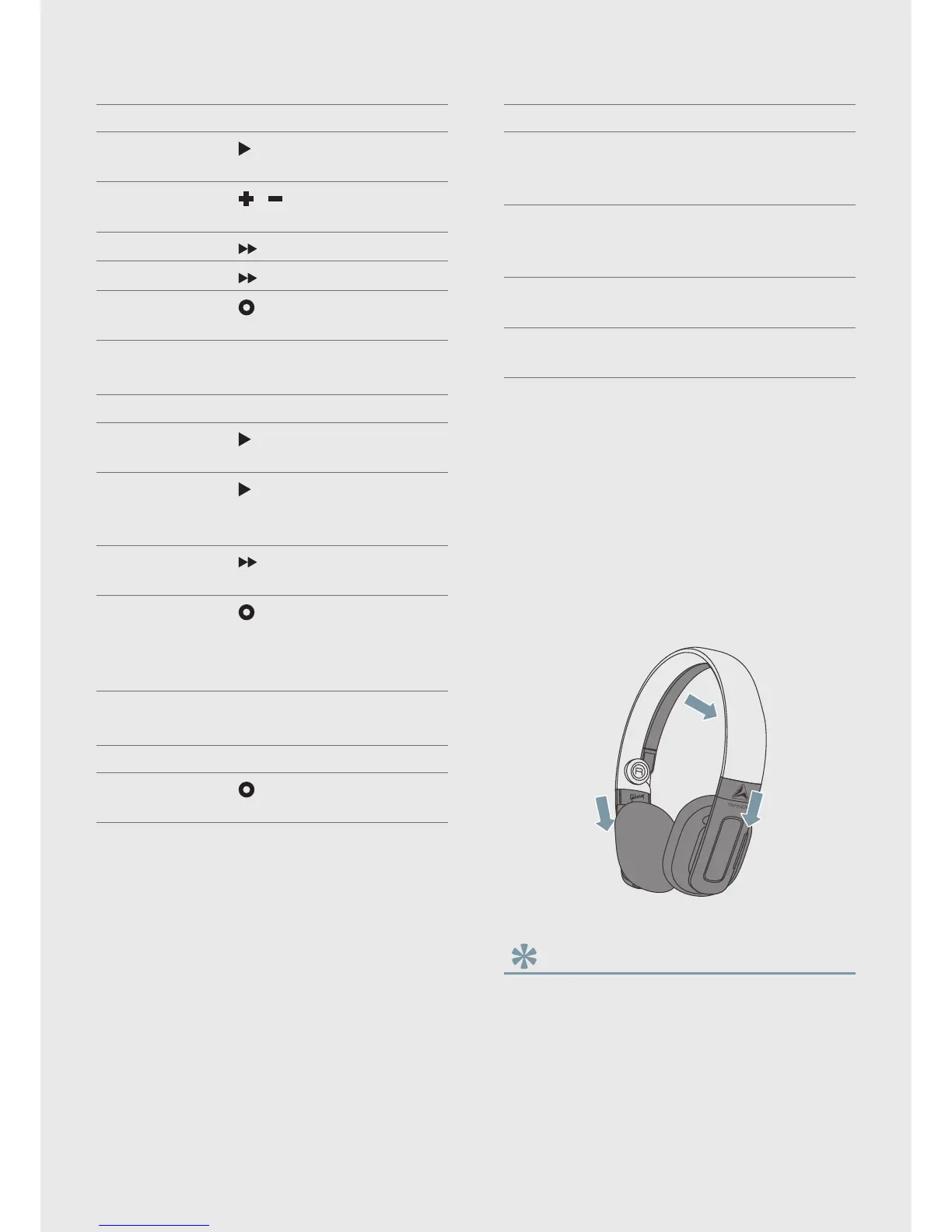
Wear your headphones
Adjust the headband to t the washable
cushions on your ears. The stabilizer helps
your headphones stay in place. Press the
stabilizer button to release the stabilizer
from the headband (see 'Overview of your
Bluetooth wireless headphones' on page 4).
Tip
•
For instruction of how to wash the ear cushions,
see the chapter ‘Frequently asked questions’.


 To Next Page