5EN
3 Charge and
pair your
headphones
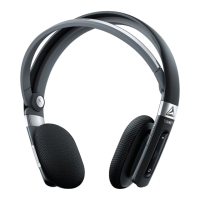
Charge your headphones
Note
•
Before you use your headphones for the rst time,
charge the battery for 5 hours for optimum battery
capacity and lifetime.
• Use only the original USB charging cable to avoid
any damage.
• Finish your call before charging the headphones,
as connecting the headphones for charging will
power the headphones off.
Connect the supplied USB charging cable
to:
• the charger or USB port of a
computer and;
• micro USB charging slot on the
headphones (lift up the rubber
cover).
→ LED turns white during charging
and turns off when the headphones
are fully charged.
Tip
•
Normally, a full charge takes 2 hours.
Pair the headphones with
your mobile phone
Before you use the headphones with your
mobile phone for the rst time, pair it
with a mobile phone. A successful pairing
establishes a unique encrypted link
between the headphones and mobile phone.
The headphones store the last 4 devices
in the memory. If you try to pair more than
4 devices, the earliest paired device is
replaced by the new one.
There are two ways to pair your
headphones with your mobile phone:
• Manual pairing
• NFC pairing
Manual pairing
1. Make sure that the headphones are
fully charged.
2. Press and hold
to turn the
headphones on.
3. Press and hold
until the LED ashes
blue and white alternately.
4. Turn on the Bluetooth function of your
mobile phone.
→ The headphones are in pairing
mode for 2 minutes.
5. Pair the headphones with the mobile
phone. For detailed information, refer to
the user manual of your mobile phone.


 To Next Page