
 Need help?
Do you have a question about the Trannergy PVI 4000 and is the answer not in the manual?
Manual describes Trannergy solar inverters PVI1800TL to PVI5400TL, transformerless based, advanced and efficient.
Read safety instructions first; assumes familiarity with AC/DC installations and grid connection rules.
Explains symbols for safety, property protection, and additional information used throughout the manual.
Read before installing, operating, or maintaining the inverter.
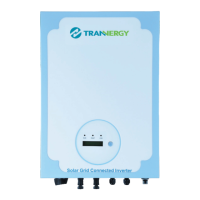
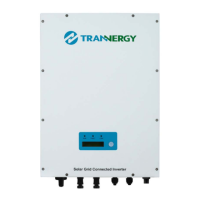
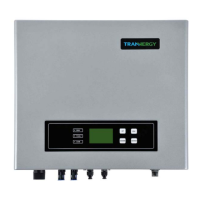
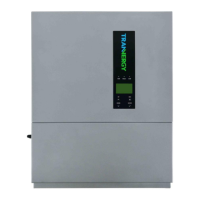
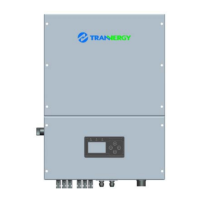
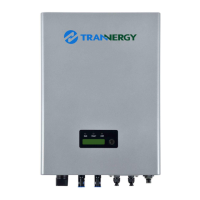
Shows outline dimensions of PVI1800TL/PVI2300TL (Figure 2-1) and PVI3200TL/PVI4000TL/PVI4600TL/PVI5400TL (Figure 2-2).
Provides the wiring diagram for the PVI1800/2300/3200/4000/4600/5400TL systems.
Inverter is ready to connect, waiting for PV voltage to be within a specific range for start-up.
Inverter performs system tests and connects to the grid if conditions are met after waiting mode.
Inverter is connected to the grid and supplies power, operating normally with a green light.
Indicates an error condition, signaled by a red LED on the front panel.
Warnings about lethal injury from fire/explosion and burns from hot components. Install in safe, accessible locations.
General steps and considerations for mounting the inverter onto the installation surface.
Procedure for drilling holes and mounting the PVI1800TL/PVI2300TL inverter.
Procedure for drilling holes and mounting the PVI3200/4000/4600/5400TL inverter.
Details on connecting AC and DC power, including wiring diagrams and connector types.
Steps to safely start the inverter after installation, including initial checks and switch operations.
Describes the control panel components: RUN (Green LED), FAULT (Red LED), COM (Yellow LED), and Function key (D).
Overview of various parameters displayed on the LCD screen, such as current state, voltage, power, and firmware version.
Instructions on how to change the display language using the function key on the control panel.
Instructions for performing the auto test function, specifically for customers in Italy, based on Italian Standard.
Detailed steps for the auto test, including grid voltage and frequency limit tests, and test completion.
Describes available communication interfaces: RS-232, RS-485, and Wireless, for data transfer.
Covers two communication types: RS-232 for single inverters and RS-485 for multiple inverters.
Details RS-232 communication between PC and a single PVI inverter, including cable specifications.
Explains RS-485 for multi-inverter communication (up to 32 units), including wire length and connection diagram.
Mentions wireless communication capability and Trannergy's ability to customize special devices for it.
Describes setting up the PVCS system for PC communication with multiple inverters via RS-485 for real-time data.
Crucial safety warnings for servicing, including disconnecting AC first and handling hazardous voltages.
Provides a guide to help technicians understand and solve common PV system problems before calling for assistance.
A checklist for common PV system issues, including checking LCD events, grid voltage, PV voltage, and connections.
Table detailing input voltage, current, and MPPT specifications for various PVI inverter models.
Table detailing input voltage, current, and MPPT specifications for various PVI inverter models.
Table detailing output voltage, power, and frequency specifications for various PVI inverter models.
Table covering general data like power consumption, efficiency, protection degree, temperature, humidity, and weight for PVI models.
Details troubleshooting steps for resumable faults like Isolation Fault, Ground Fault, Grid Fault, and Over Temperature.
Comprehensive list of technical abbreviations used in the manual, such as EMC, EMI, HCT, HMI, LCD, etc.


 To Next Page
 General