
 Need help?
Do you have a question about the Trannergy PVI3200TL and is the answer not in the manual?
Describes Trannergy solar inverters PVI1300TL to PVI5400TL and their features.
Instructions for using the manual and assumed reader knowledge on electrical installations.
Explains symbols for safety, property protection, and additional information.
Instructions for checking damage, contacting supplier, and verifying voltages.
Emphasizes trained personnel, local codes, and voltage carrying sides.
Procedure for safely disconnecting AC and PV lines, including a waiting period.
Ensures installation cover is mounted before operation.
Only authorized personnel and original spare parts should be used.
Warns against unauthorized changes to safety parameters.
Disconnect all voltage sources before starting any work.
Prevent accidental reconnection of the system.
Verify system is voltage-free using a voltage tester.
Cover and mark live components to prevent contact.
Ensure PV string OCV does not exceed 600V DC, with specific limits for models.
Optimize PV string output for capital utilization and energy yield.
Only trained personnel are permitted to perform service or maintenance.
Instructions for switching the DC switch ON/OFF.
Switch ON/OFF ten times annually to clean contacts.
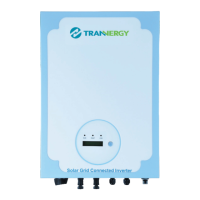
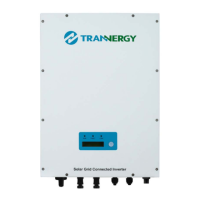
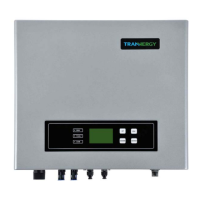
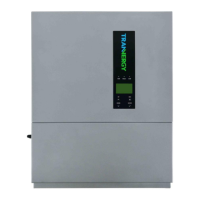
Shows outline dimensions for different inverter models.
Wiring diagram and notes for the PVI system.
Recommends 32A DC and 32A AC breakers.
Recommends UL1015 wire, showing AWG for DC/AC input/output.
Emphasizes checking PV polarity before installation to prevent damage.
Describes Waiting, Connecting, Normal, and Fault modes.
Lists possible actions for common inverter faults.
Warnings about fire, explosion, hot surfaces, and installation location.
Specifies installation environment requirements and clearances.
Procedure for mounting the inverter.
Unit designed for vertical or tilted backwards (max 15°).
Procedure for drilling mounting holes, specifying depth and diameter.
How to fix the installation board to the wall using expansion bolts.
Attention to measure hole depth and distance before inserting bolts.
Procedure to hang the inverter on the installation board with washers and bolts.
Checking both sides for correct positioning after hanging.
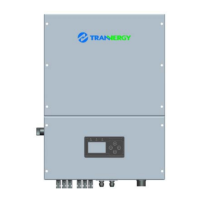
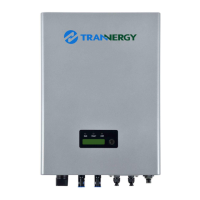
Identifies DC input, communication, and AC output terminals for Product A.
Identifies AC output and communication terminals for Product B.
Table detailing objects A, B, C, D and their descriptions.
Each inverter requires an individual AC breaker for safe disconnection.
Connect AC wires using the AC female connector (Figure 4-8).
Instructions to assemble the cover and cable gland (Figure 4-9).
Stripping cable jacket and insulation for connector insertion.
Inserting conductors into the terminal and tightening the screw.
Aligning and mating male and female connectors until a click is heard.
Using a tool to separate male and female connectors.
Using a specific tool to remove the male contact from the insert.
Connect the AC cable to the terminal for Product B (Figure 4-17).
Danger of fire/shock; never connect/disconnect AC under load.
A manual DC breaker with over current/voltage capacity is required.
Cut off AC end connection before DC end connection.
Table of Maximum input voltage and current for various models.
PV generator OCV must not exceed maximum input voltage.
Total short circuit current of PV modules must be less than inverter's DC input current.
Ensure PV string polarity is correct before connecting to the unit.
Connect PV generator using H4 connectors (female and male sides).
Switch off DC breaker and secure against being switched back on.
Strip cable to 7 mm for insertion into contact barrel.
Crimp the contact barrel using a hex crimping die.
Insert contact cable assembly into connector until a click is heard.
Danger of fire/shock; never connect/disconnect connectors under load.
Ensure DC/AC breakers are disconnected, AC connected, DC connectors sealed.
Turn on DC and AC switches; inverter starts automatically with sufficient PV energy.
Describes the LEDs (RUN, FAULT, COM) and Function Key (D).
Green LED for working normally, Red for fault, Yellow for communication.
Used for settings, alternating parameters and languages.
Details information shown on LCD like current state, energy generated, voltage, current.
Procedure for setting the display language.
For Italian customers, ensure inverter is made for Italian Standard.
Instructions for performing the auto test function.
Tests for upper and lower grid voltage limits.
Tests for upper and lower grid frequency limits.
Customers need to adjust PF for VDE-AR-N 4105 standard.
Options to set PF to Default, Curve, or specific values.
Customers need to adjust Power Limit for VDE-AR-N 4105 standard.
Options to set power limit to 70% or 100%.
Available interfaces are RS-232, RS-485, and Wireless.
For single inverter communication with PC via RS-232 port.
Pinout diagram and description for RS-232 DB9 connector.
For communication with multiple inverters (up to 32) up to 1200m.
Pinout for RS-485 communication with DLU.
Inverters can be communicated with wirelessly via custom devices.
Using PVCS software to monitor multiple inverters via RS-485 interface.
Diagram showing monitoring system topology with DLUs and router.
Safety precautions for performing service and repair on the inverter.
Describes events preventing proper operation and inverter's self-protection.
Procedures for safely disconnecting AC and PV modules.
Only qualified personnel should open the inverter for repair.
Measure DC bus voltage (below 48V) before internal work.
Steps to check for PV system problems: LCD events, grid voltage, PV voltage, solar radiation.
Reminds that only trained personnel should work on electrical installations.
Details specifications for transformerless PV inverters.
Table of nominal voltage, MPPT range, input current for various models.
Table of nominal/maximum output power, voltage, current, THDi, Power Factor.
Table of internal consumption, standby power, conversion efficiency, protection degree.
Specifies operating temperature range and humidity limits.
Details acoustic noise level and maximum operating altitude.
Table listing weight and physical dimensions for different models.
Standard warranty of 60 months from purchase date.
Lists conditions under which warranty claims are excluded.
Trannergy Co., Ltd. contact details including website, address, phone, fax, email.
Lists common faults like Isolation Fault, Ground Fault, Grid Fault.
Provides possible actions for common PV system faults.
Glossary of abbreviations used in the manual (AC, DC, DLU, DSP, etc.).
 General
| Number of MPP Trackers | 1 |
|---|---|
| Nominal AC Voltage | 230 V |
| AC Output Frequency | 50/60 Hz |
| Cooling Method | Natural convection |
| Noise Level | < 25 dB |
| Protection Degree | IP65 |
| Rated Power | 3200W |
| Nominal AC Power | 3200W |
| Maximum AC Output Power | 3200W |
| Rated AC Output Power | 3200W |
| Operating Temperature Range | -25 ~ +60 °C |


 To Next Page