
 Need help?
Do you have a question about the Trannergy PVI1800TL and is the answer not in the manual?
Overview of the manual, usage guidance, and designation symbols.
Critical safety instructions for installation, operation, and maintenance procedures.
Five fundamental safety rules for personnel working with electrical equipment.
Guidelines for system sizing and operation of the DC switch.
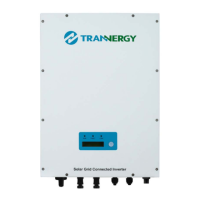
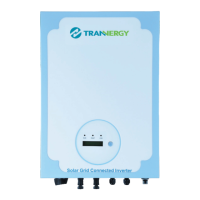
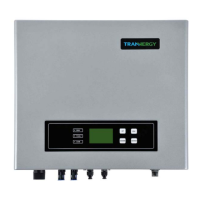
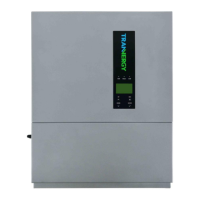
Outline dimensions and diagrams for different Trannergy inverter models.
Wiring diagram illustrating the overall system architecture of the inverters.
Definition of Waiting, Connecting, Normal, and Fault inverter operation modes.
Safety warnings and precautions related to inverter installation environment and risks.
Step-by-step procedure for mounting the inverter unit onto the installation board.
Detailed steps for connecting AC wires to the inverter's AC female connector.
Procedure for connecting AC cable to the terminal on Product B.
Guidelines for connecting DC power from PV modules to the inverter.
Steps to start the inverter after all checks are completed.
Description of LEDs (RUN, FAULT, COM) and the Function key (D).
Overview of LCD display parameters and procedure for changing the display language.
Instructions for performing the auto test function, particularly for Italian Standard.
Steps to adjust Power Factor (PF) and power limit according to VDE-AR-N 4105 standard.
Overview of available communication interfaces: RS-232, RS-485, and Wireless.
Details on connecting a single inverter via RS-232 to a PC.
Details on connecting multiple inverters via RS-485, up to 32 units.
Information on wireless communication capabilities and customization options.
Configuration for system monitoring using PVCS software and RS-485 interface.
Safety precautions and notes for servicing and repairing the inverter.
A checklist for diagnosing and solving common PV system problems.
Technical data for DC input parameters across different inverter models.
Technical data for AC output parameters across different inverter models.
General technical data including power consumption, efficiency, and protection degree.
Details on warranty period, service procedures, and excluded claims.
Contact information for Trannergy Co., Ltd., including website, address, and email.
Common troubleshooting questions and their possible solutions for PV systems.
Glossary of technical abbreviations used in the manual.
 General
| Model | PVI1800TL |
|---|---|
| Rated Power | 1800 W |
| Nominal AC Power | 1800 W |
| Rated AC Output Voltage | 230 V |
| Cooling | Natural convection |
| Number of MPP Trackers | 1 |
| AC Output Frequency | 50 Hz / 60 Hz |
| Maximum AC Output Power | 1800W |


 To Next Page