11/29/2009
11
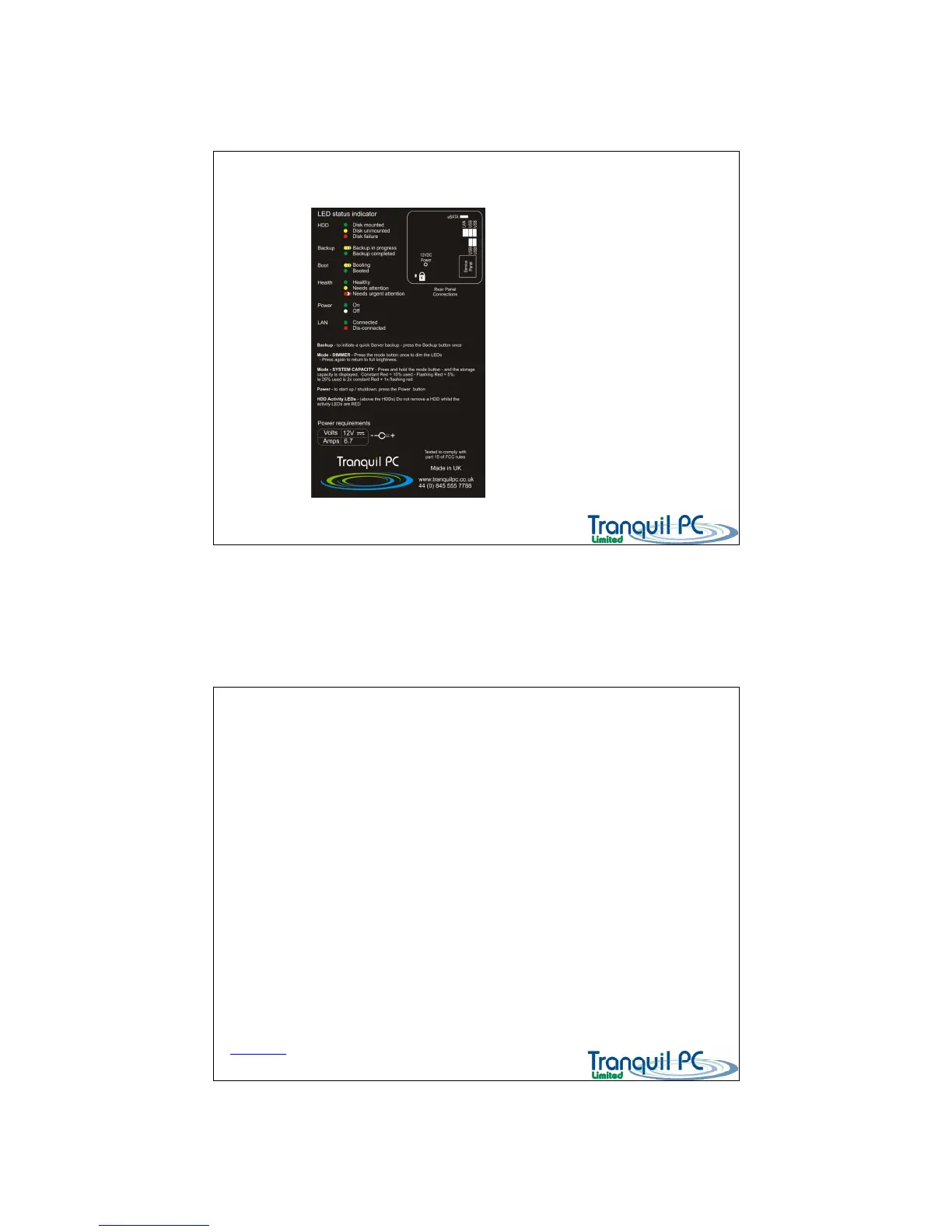
The front panel status indicators - Label
D03_ WHS_PP1_UK
On the bottom of the Home Server there
is a small quick reference label, for your
convenience.
The front panel status indicators - MODE
D03_ WHS_PP1_UK
The MODE button can be used to a) control the brightness of the front LEDs and b) check the storage capacity of
the Home Server Storage used / free.
To DIM the LEDs, press the MODE button once, to bring back to full brightness, press again
To check the STORAGE used on your Home Server – press and hold the MODE button
For each 10% used there will be a solid red LED, for each 5% used a flashing red LED –
ie 25% would be two solid red LEDs and the third LED would be flashing. Percentages used are rounded
up or down to the nearest 5%
Remaining space is displayed as green LEDs.
Back to Index page


 To Next Page