20
OUTPUT STRING
The indicator contains one editable output string (print format). You can simply choose one of three
output strings already created for you or you can edit one of the pre-defined output strings to suit
your application.
Output strings are created by assigning a hexadecimal value to a decimal address. The addresses
start at 0 (displayed as 00) and end at 94. The HEX value can be a printable ASCII character or a
print command. Below please find a table of print commands.
Print Commands
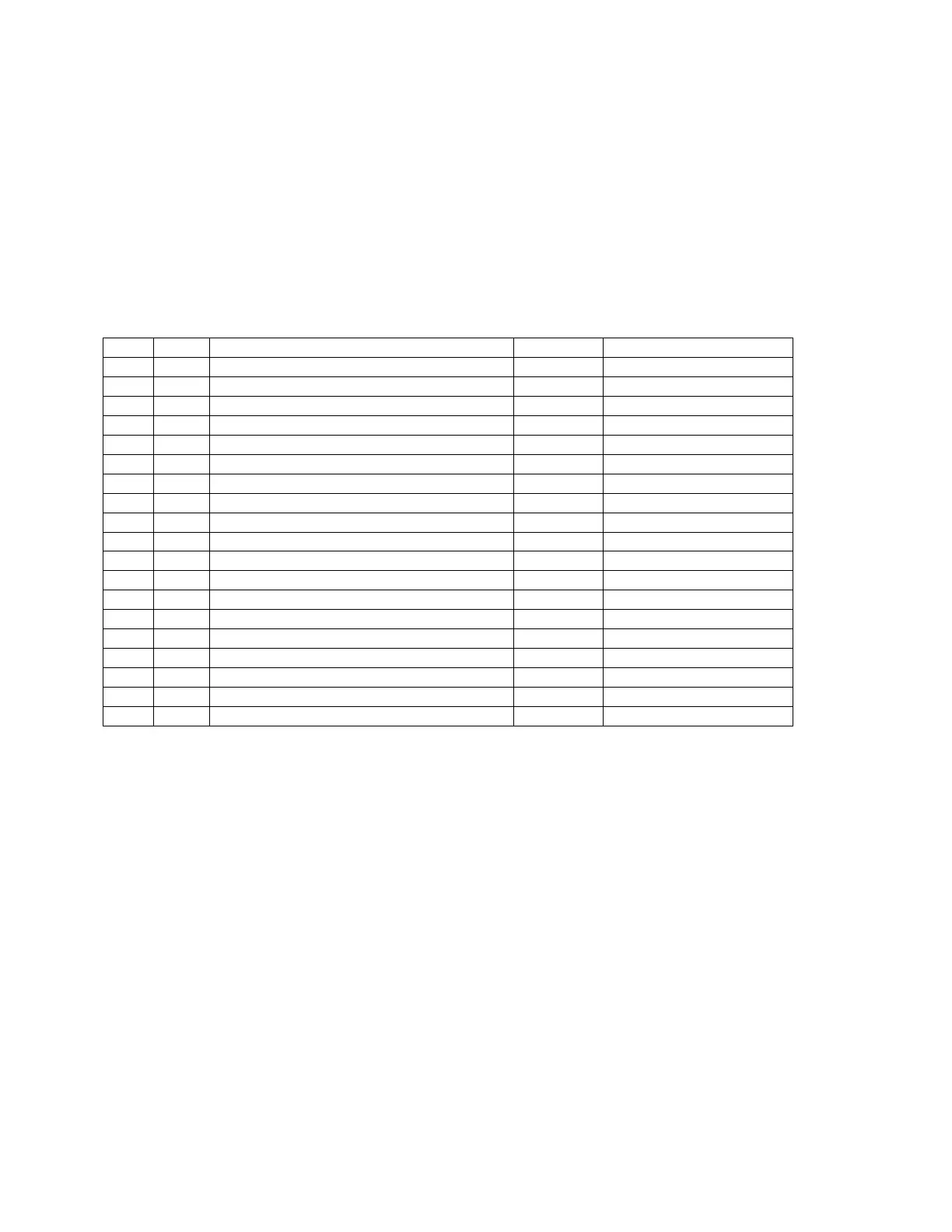
Dec Hex Printing Action (abbrev.) Parameter
128 80 Gross weight (GWT)
129 81 Net weight (NWT)
130 82 Tare weight (TWT)
131 83 Print the data on screen (CWT)
132 85 Units (lb, kg, PCS) (UN)
133 86 Date (DAT)
134 87 Time (TIM)
135 88 ‘O’ = Over/Under; ‘M’=Motion (STAT)
136 89 Gross/Net flag: ‘G/N’ (GN)
137 8A MP20 printer to print header info. (MP20)
138 8B Selects handshaking for serial port. (CTS)
149 8C Print out ID number. (PRID)
140 8D No. of line feeds. (PRLF) 1-99 (Dec)
141 8E No. of spaces. (PRSPS) 1-99 (Dec)
142 90 Unit flag: ‘L/K’ (LK)
143 91 Unit flag: ‘LB/KG’ (LBKG)
144 92 Gross/Net flag: ‘GR/NT’ (GRNT)
0 00 Null (NUL)
255 FF End of String (EOS)
NOTES:
1. The decimal values are provided only for reference; use HEX values when programming.
2. All output strings should end with an EOS character.
3. The Null character can be used to comment out a line when editing pre-defined output strings. In
this manner an unnecessary line can simply be skipped, i.e. not printed.


 To Next Page