Need help?
Do you have a question about the Transcell Technology TI-700K and is the answer not in the manual?
Describes the TI-700K indicator's basic cabled configuration and wireless setup.
Steps to set up and start using the TI-700K with wired load cells.
Steps to set up and start using the TI-700K with wireless RF modules.
How to check scale status, set units, and use zero correction.
Details on operating the RF weighing module, including buttons and LED indicators.
Explains the meaning of various symbols and indicators shown on the TI-700K display.
Describes the function of each key on the TI-700K indicator's keypad.
How to use automatic, manual, and peak hold functions to capture weights.
How to tare containers and calculate net weight of products.
Guide to using the indicator for counting items based on average piece weight.
How to record and display the maximum weight applied during a process.
How to add multiple weighments together to get a total sum.
Information on printing weighing data and time/date.
Steps to set the indicator's internal clock and date for accurate printouts.
How to configure the indicator for checkweighing with low/high set points.
Indicates the weighing capacity of the scale has been exceeded.
Indicates the weight on the scale is below zero. Press ZERO key.
Errors related to TI-500 RFTM module connection and battery status.
Warnings for low or depleted batteries in the indicator and RF modules.
Details on enclosure, display, temperature, power, and connectivity.
Specifications for the wireless RF module, including range and frequency.
Details on the internal rechargeable Li-Ion battery for the TI-700K.
Information on the battery holder for the TI-500 RFTM module.
Addresses issues when the "Low Battery" icon blinks and the indicator powers off.
Solves problems where weight reads lower at one end of the platform.
Explains the meaning of seven small zeros and potential causes.
Troubleshoots the scale powering off automatically due to conservation settings.
Provides solutions for when the display shows erratic readings.
The Transcell TI-700K is a digital weight indicator designed for various weighing applications, including those with wireless capabilities. Out of the box, it functions as a basic cabled digital weight indicator, connecting load cells and/or a j-box to its internal A/D converter. When paired with an external TI-500 RFTM (Radio Frequency Transceiver Module) and an optional wireless radio, the TI-700K transforms into a cable-free system, utilizing reliable Bluetooth® wireless technology.
The primary function of the TI-700K is to accurately measure and display weight. It supports multiple units of measure, including pounds (lb), kilograms (kg), grams (g), and ounces (oz), which can be toggled using the UNITS key. The indicator features an automatic zero correction, automatically zeroing small deviations. For larger deviations or to manually set the zero point, the ZERO key can be pressed.
Beyond basic weighing, the TI-700K offers several advanced operational modes:
Hold Operation: This mode, enabled by setting F30 to "5" in the Setup Menu, captures and freezes the weight of an unstable load on the display, particularly useful for weighing livestock. It includes several specific hold modes selected via the F35 setting:
NET Weighing: This function allows for the measurement of net weight, which is the product's weight alone, excluding its container or packaging (tare weight). The indicator stores the current tare weight in memory even when powered off, reverting to NET weighing mode and applying the stored tare weight at startup if present. To use, an empty container is placed on the platter, the TARE key is pressed to zero the display, and then the object is added. The NET annunciator activates, showing the net value. The NET/GROSS key can toggle between gross and net weight, and pressing TARE again clears the tare value.
Piece Counting: Enabled by setting F30 to "3" in the Setup Menu, this mode indicates the number of pieces on the platform. It's crucial that the items being counted are consistent in weight for accuracy. The indicator uses a sampling method to determine the average piece weight (APW). Users can tare a container if needed, then press the UNITS key until "5 0" appears, prompting for five identical items. The sample number can be changed (5, 10, 20, 50, 100). After placing the sample items and allowing stabilization, pressing NET/GROSS takes the sample. If the sample size is sufficient, the display shows the piece count with the "PCS" annunciator lit. If not, "Lo" is briefly displayed, and the sample size automatically increments. The APW is not retained in memory upon exiting this mode.
Accumulation (Totaling): This mode, enabled by setting F30 to "1" in the Setup Menu, allows adding multiple weighments to obtain a total weight. If a tare weight is active, the net weight is automatically added. To accumulate, load the system, press PRINT to add the current load to the accumulator (display briefly shows "ADDED"), and it returns to weighing mode. If a printer is installed, a printout is made. Weights cannot be recorded twice; the system must return to the net zero-range before adding another weight. The subtotal can be checked by pressing PRINT twice at net zero, toggling between net total weight and the number of weighments. During this display, pressing PRINT again prints and resets the total, while pressing NET/GROSS resets the total without printing. If no key is pressed, the subtotal remains in memory.
Printer Functionality: If equipped with a printer, the system can print weighing data along with time and date. The printout can include ID.NO., DATE, TIME, GROSS, TARE, NET, and PCS, depending on configuration settings. TARE and NET fields only print when a tare has been established.
Checkweigher: Enabled by setting F30 to "6" in the Setup Menu, this mode is used for accurately filling a vessel by weight and can drive a light tree or buzzers/alarms with an optional digital I/O board. Operators set Low and High (Min/Max) weight values from the front panel using the NET/GROSS key. The display shows "Lo" then the current low weight, allowing adjustment with directional keys. After saving, it shows "Hi" then the current high weight for adjustment.
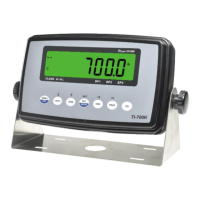
The TI-700K features a 7-digit LCD with adjustable LED backlight for clear display. The capacitive touch keypad consists of seven function keys: MENU/OFF, UNITS, ZERO, NET/GROSS, TARE, PRINT, and ON, along with SET and arrow keys for menu navigation.
 General
| Overload Protection | Yes |
|---|---|
| Display | LCD |
| Power | Battery |
| Operating Temperature | 0°C to 40°C |
| Auto Power Off | Yes |

 To Next Page