15
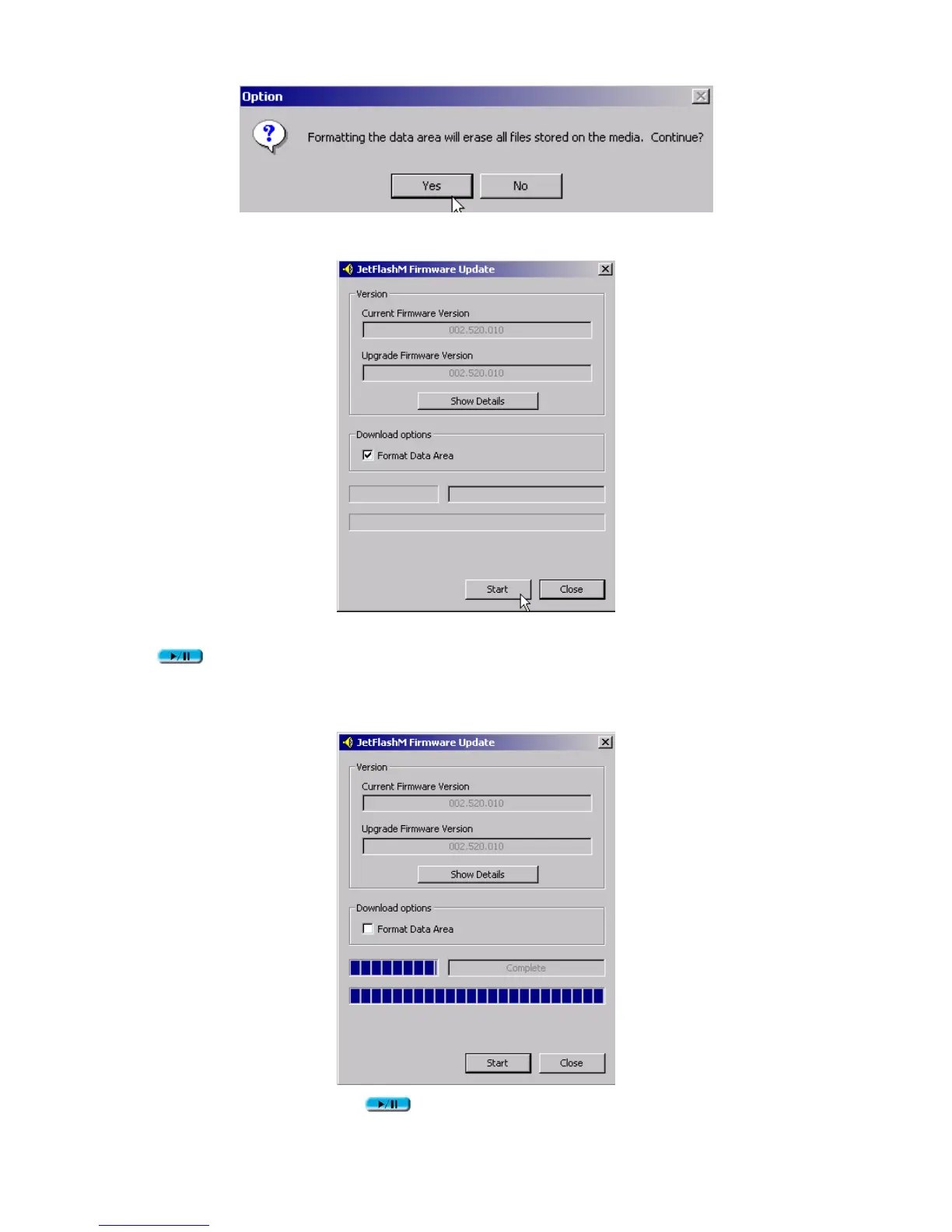
9. Click Start to initiate the low-level format.
If JetFlashM Firmware Update dialog does not appear, press and hold PLAY/PAUSE
button to re-plug JetFlash first. Then, click the Recovery button on the JetFlash
splash screen again.
10. Click Close to complete the Recovery procedures.
11. Release the PLAY/PAUSE button. JetFlash has been returned to its initial status for
your usage.












 To Next Page