17
Do not release the PLAY/PAUSE button until the Recovery procedures are
completed.
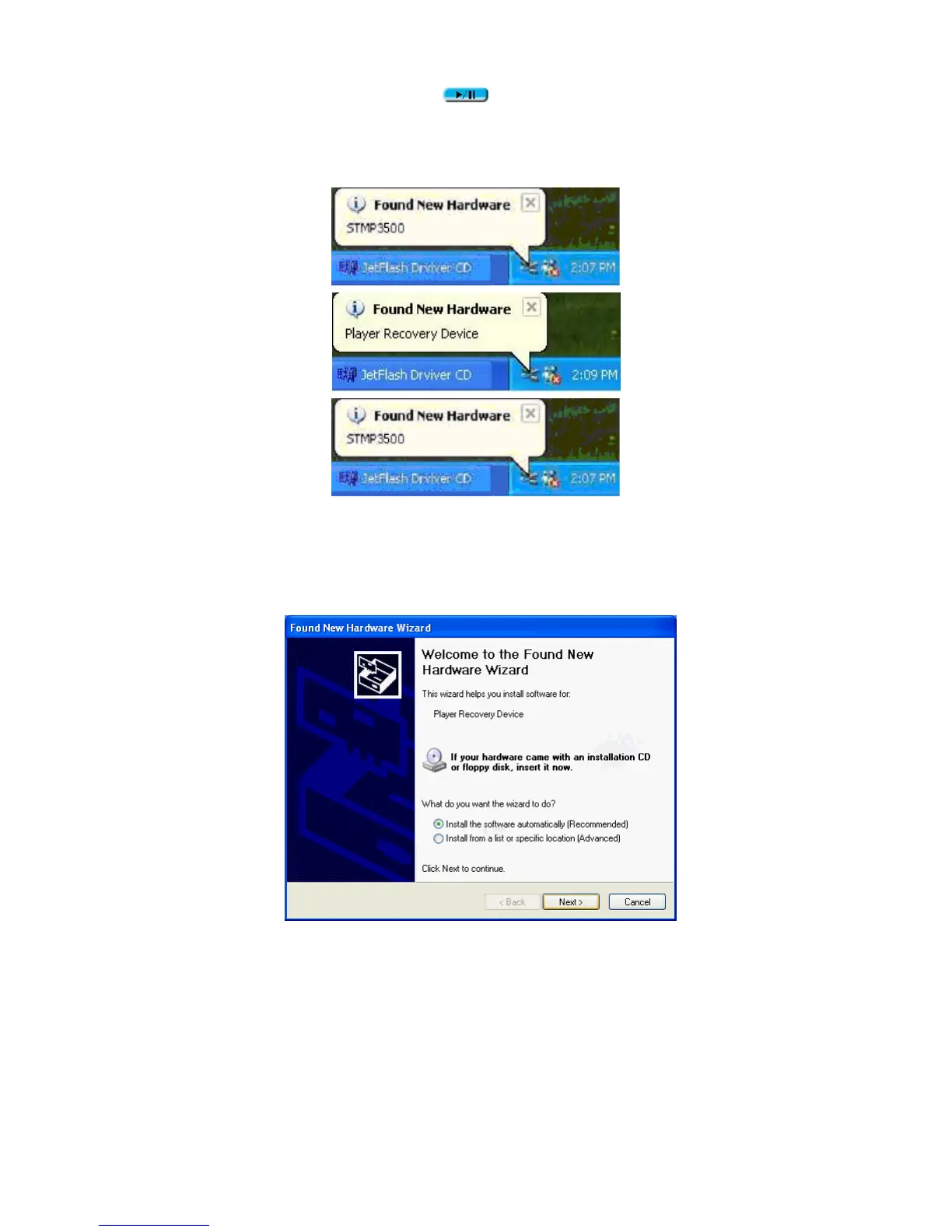
6. Found New Hardware messages appear. (Only the first time you recover the JetFlash.)
If using Windows Me or 2000, go directly to step 9.
7. Wait a while until Found New Hardware Wizard windows appears. Click Next to continue.
(Only appears the first time you recover the JetFlash.)
8. Found New Hardware Wizard window appears. Click Finish to continue. (Only appears the
first time you recover the JetFlash.)












 To Next Page