6. Settings
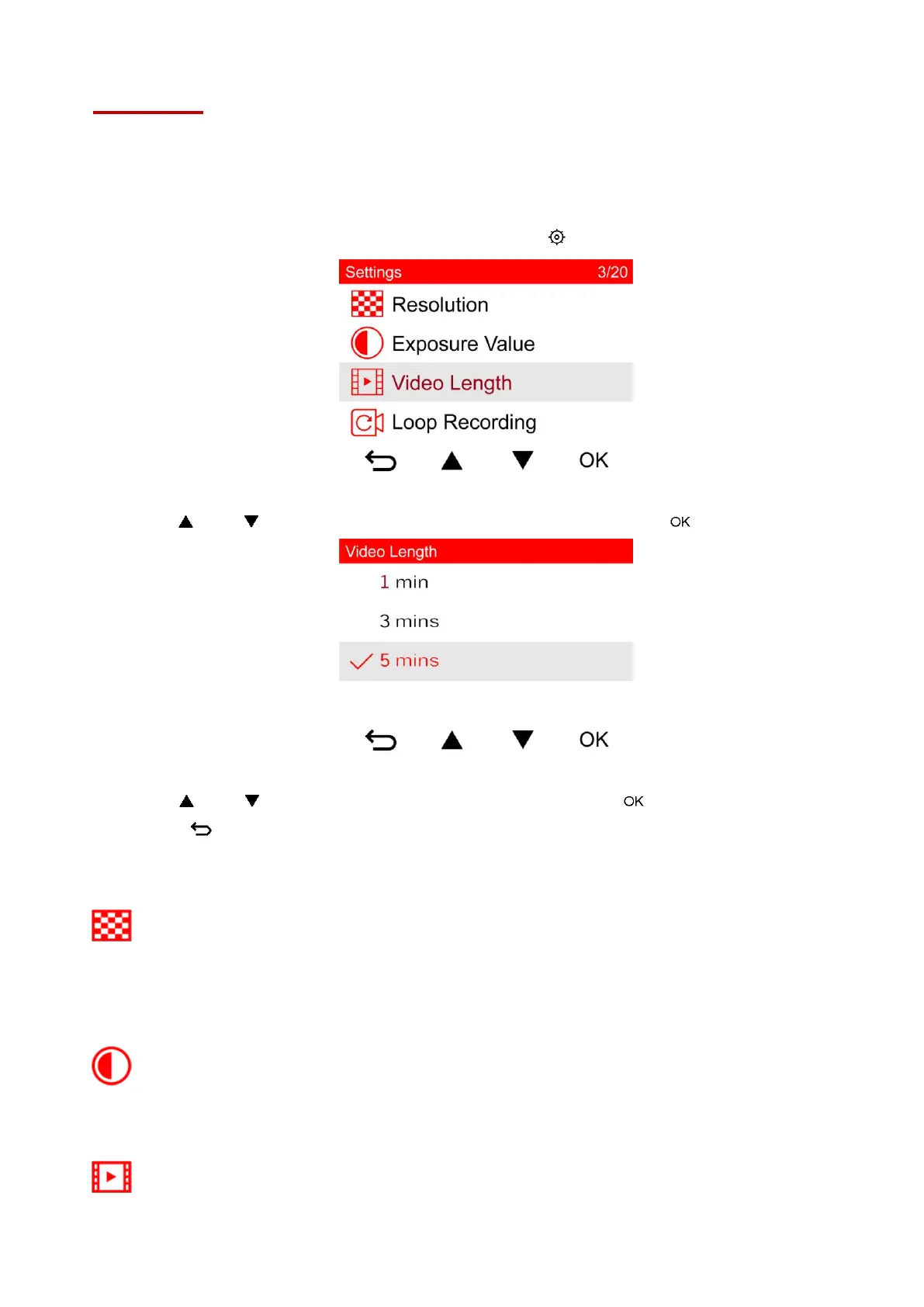
In the Settings menu, you can adjust settings of video resolution, recording time and G-Sensor
sensitivity. You can also set the date/time/time zone, change the interface language, format the
memory card, or upgrade firmware.
1. During video recording, press the Settings button .
2. Use / to select the desired menu option, and press .
3. Use / to select the desired setting, and press .
4. Press to return to the Settings menu.
Menu Options
Resolution: Set the resolution/quality for video recording.
Available options: 1080P 60FPS (FHD) / 1080P 30FPS (FHD) / 720P 60FPS (HD) / 720P 30FPS
(HD)
(Note: Available options are displayed depending on your model.)
Exposure Value: Adjust exposure composition value to lighten or darken the preview
screen.
Available options: +2.0 / +1.5 / +1.0 / +0.5 / 0 / -0.5 / -1.0 / -1.5 / -2.0
Video Length: Set the recording length of each recorded video file.
Available options: 1 min / 3 mins / 5 mins















 To Next Page