3. Getting Started
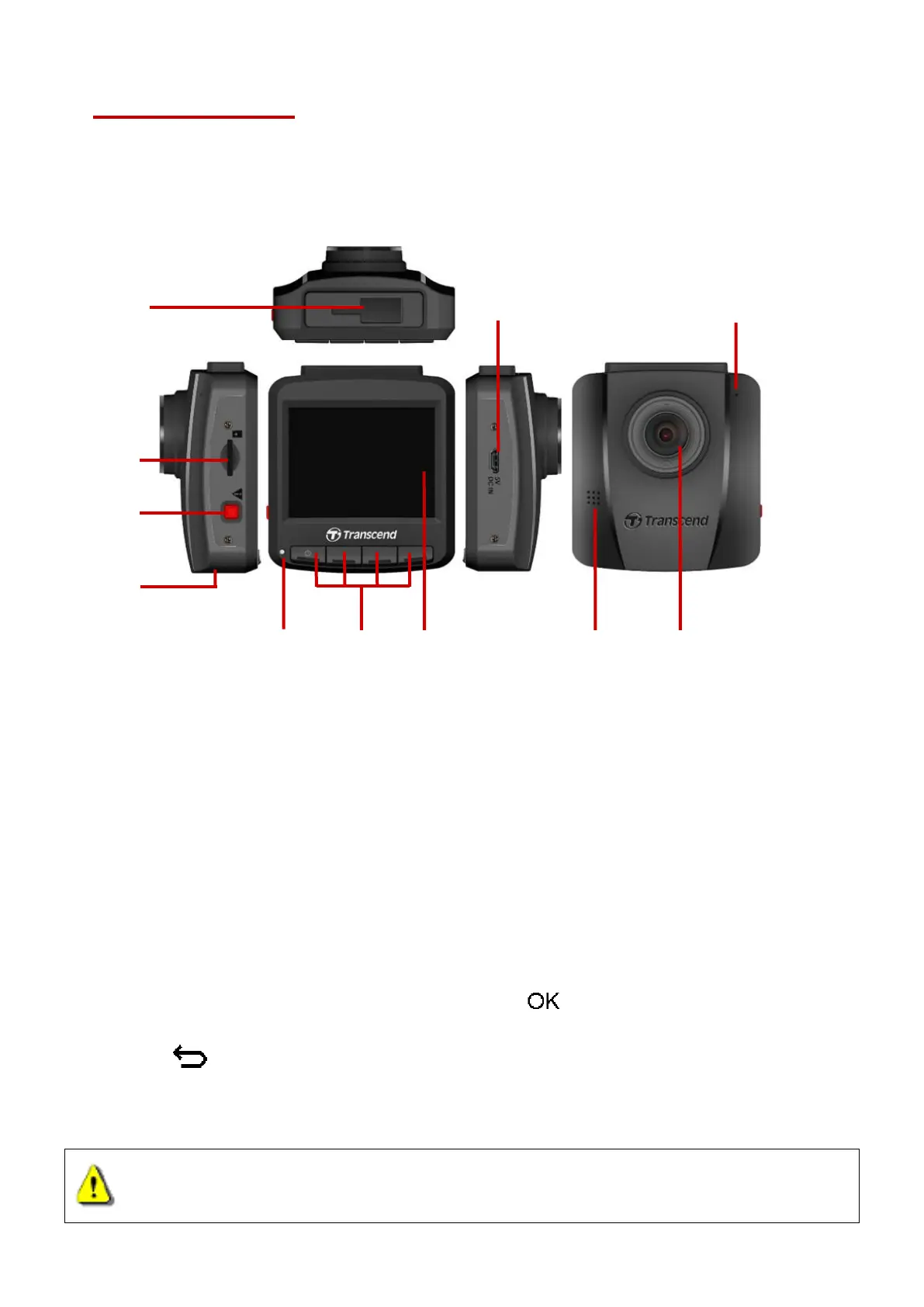
3-1 Overview
3-2 Inserting a microSD Memory Card
You must insert a microSD memory card into the DrivePro before you can start recording. Please
use a microSD memory card with 8GB, 16GB, 32GB, 64GB or 128GB capacity (Class 10 or
above).
1. Insert a microSD memory card into the card slot on the left-hand side of the DrivePro.
Note: Always format a new memory card in the DrivePro before using it for the first time. To
format a new memory card, press the Settings button during recording, and select Format
Card.
Format your memory card on a regular basis. For the best recording stability, you are
encouraged to format the microSD card regularly. DrivePro will send you a notification every
three months as a reminder. Upon receipt, press to begin formatting immediately;
press to resume without taking actions. Notice: Formatting will erase all data on
the memory card.
WARNING: DrivePro 110 can only support FAT32 and exFAT file format, but not
NTFS.















 To Next Page