13
Settings
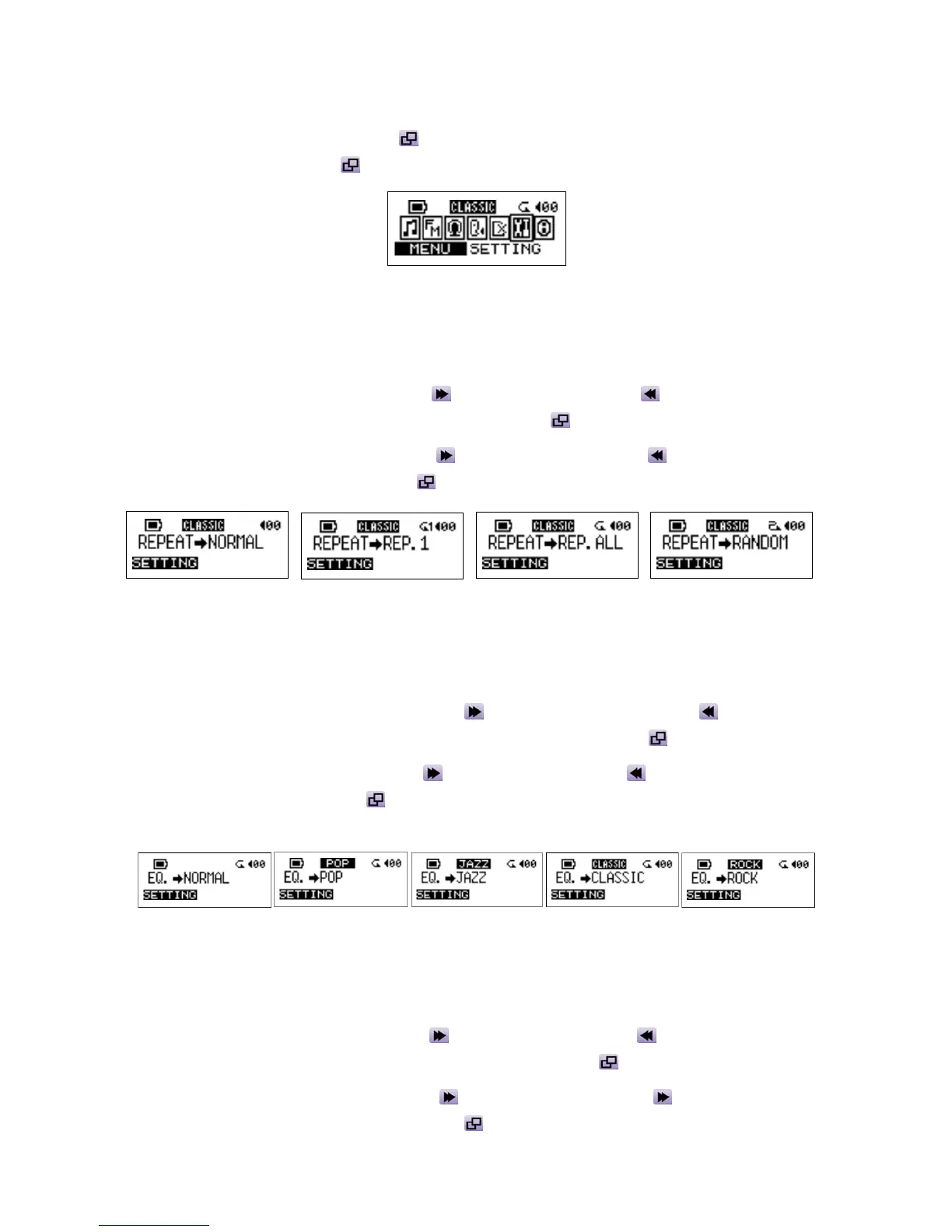
Press the Joystick inwards (Menu) to enter the menu. Select the SETTING icon, and then
press
the Joystick inwards again to enter the SETTINGS menu.
Repeat Mode
Select a desired playback repeat mode from NORMAL, REPEAT ONE, REPEAT ALL, and
RANDOM.
1. Push the Joystick to the right (Next)
or to the left (Previous) to select the REPEAT
icon in SETTING, and then press the Joystick inwards
to select.
2. Push the Joystick to the right (Next)
or to the left (Previous) to change the repeat
mode. Press the Joystick inwards
again to select the change.
EQ Mode
Select a desired EQ mode to meet your personal taste: NORMAL, POP, JAZZ, CLASSICAL, or
ROCK.
1. Push the Joystick to the right (Next)
or to the left (Previous) to select the
EQUALIZER icon in SETTING, and then press the Joystick inwards
to enter.
2. Push the Joystick to the right (Next)
or to the left (Previous) to change the EQ mode.
Press the Joystick inwards
again to select the change. You will be able to hear the
change from your earphones.
Record Rate
Set the Record Rate to NORMAL, HIGH, or LOW. The higher the recording rate you set, the
better the recording quality (requires more memory).
1. Push the Joystick to the right (Next)
or to the left (Previous) to select the RECORD
RATE icon in SETTING, and then press the Joystick inwards
to enter.
2. Push the Joystick to the right (Next)
or to the left (Previous) to change the REC.
RATE mode. Press the Joystick inwards
again to select the change.















 To Next Page