12
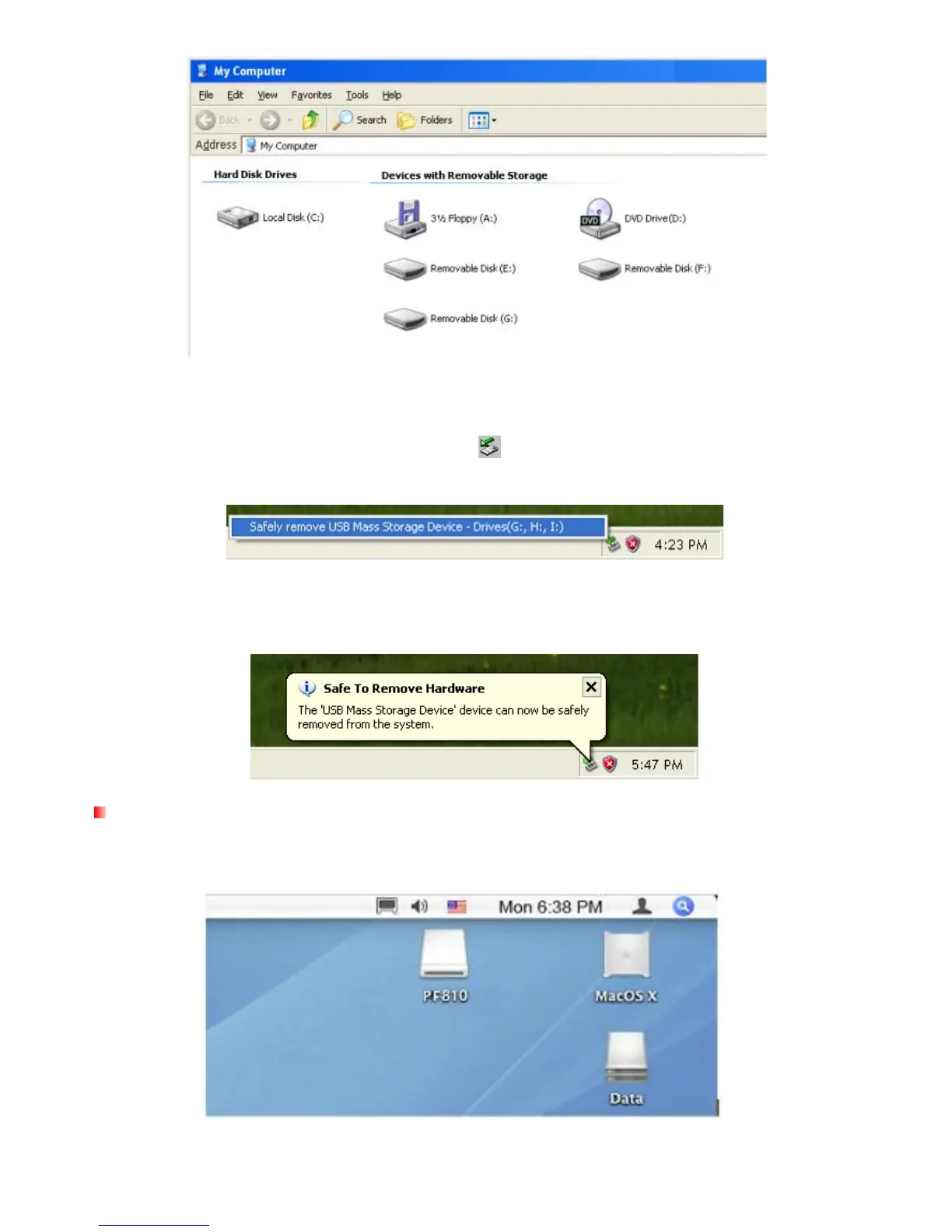
*Note: E: , F: and G: are example drive letters - the letters in your “My Computer” window may differ
Proper removal of your Photo Frame (from Windows):
1.
Click once on the Removable Hardware icon in the system tray.
2. The Safely Remove Hardware pop-up window will appear. Select it to continue.
3. A window will appear stating, “The ‘USB Mass Storage Device’ device can now be safely
removed from the system.” Unplug your Photo Frame from the USB port after this message
appears.
Mac
®
OS 10.0 or later
No drivers are required. Plug your Photo Frame into an available USB port and your computer will
automatically detect it.



 To Next Page