26
Radio︱
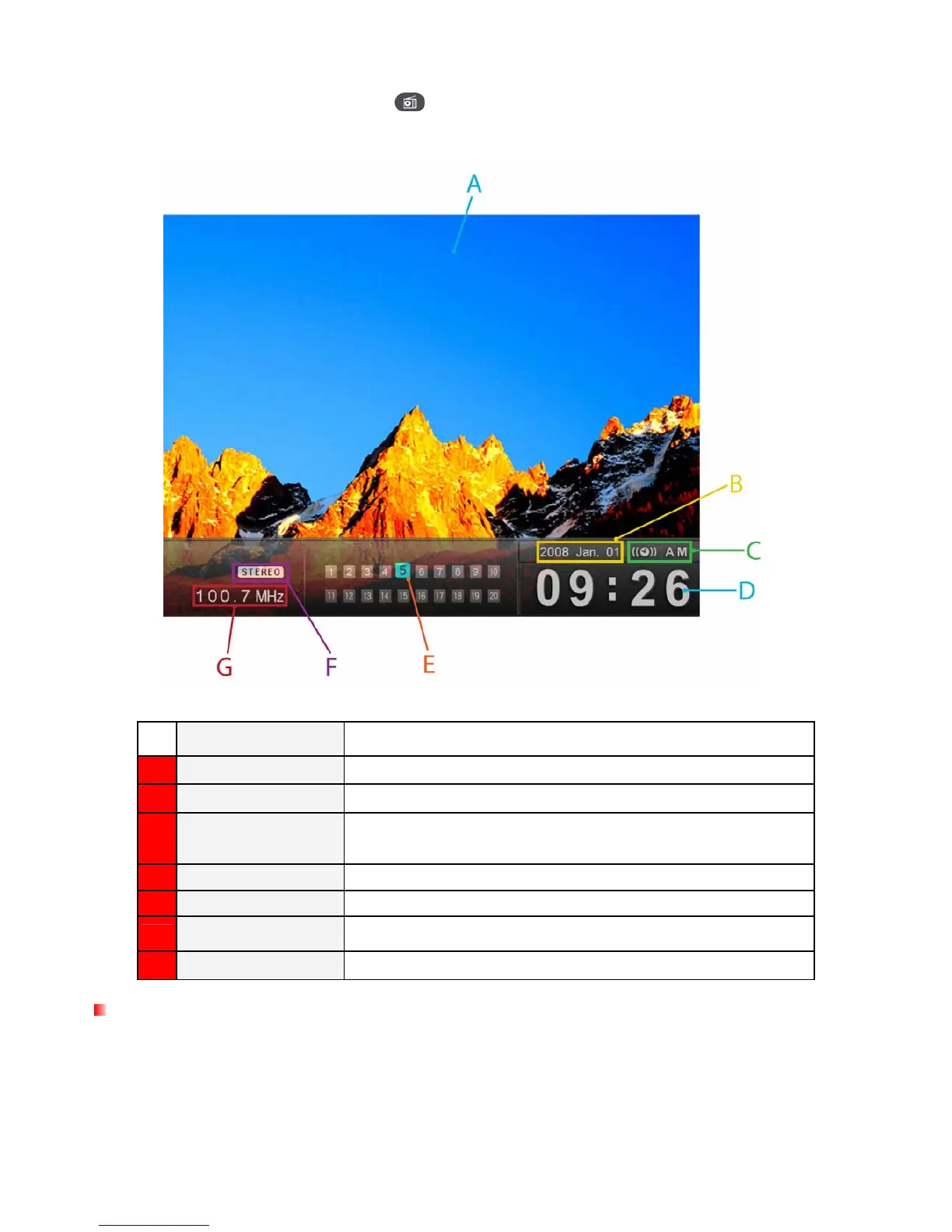
By selecting the Radio option or pressing , you can listen to your favorite radio stations from the built-in
FM tuner and browse your photos at the same time. The Radio mode also lets you set your favorite station
as your alarm clock ringer.
ICON INDICATION
A
Picture Dis
Displays either a single background image or a photo slideshow
B
Date
Displays today’s date
C
AM / PM &
Alarm on / off
Displays AM or PM (when 12Hr time format is enabled). And display a
alarm icon while alarm on.
D
Time
Displays the current time
E
Saved Stations
Displays all saved stations, and highlights currently selected channel
F
Stereo Icon
Indicates reception of a strong FM stereo station
G
Fre
Displays the currently selected FM radio frequency
Selecting a Radio Station
There are two ways to change stations: You can adjust the frequency manually from the Radio screen or you
can choose one of the preset stations in “Saved Stations” list.
To adjust the frequency manually:



 To Next Page