8
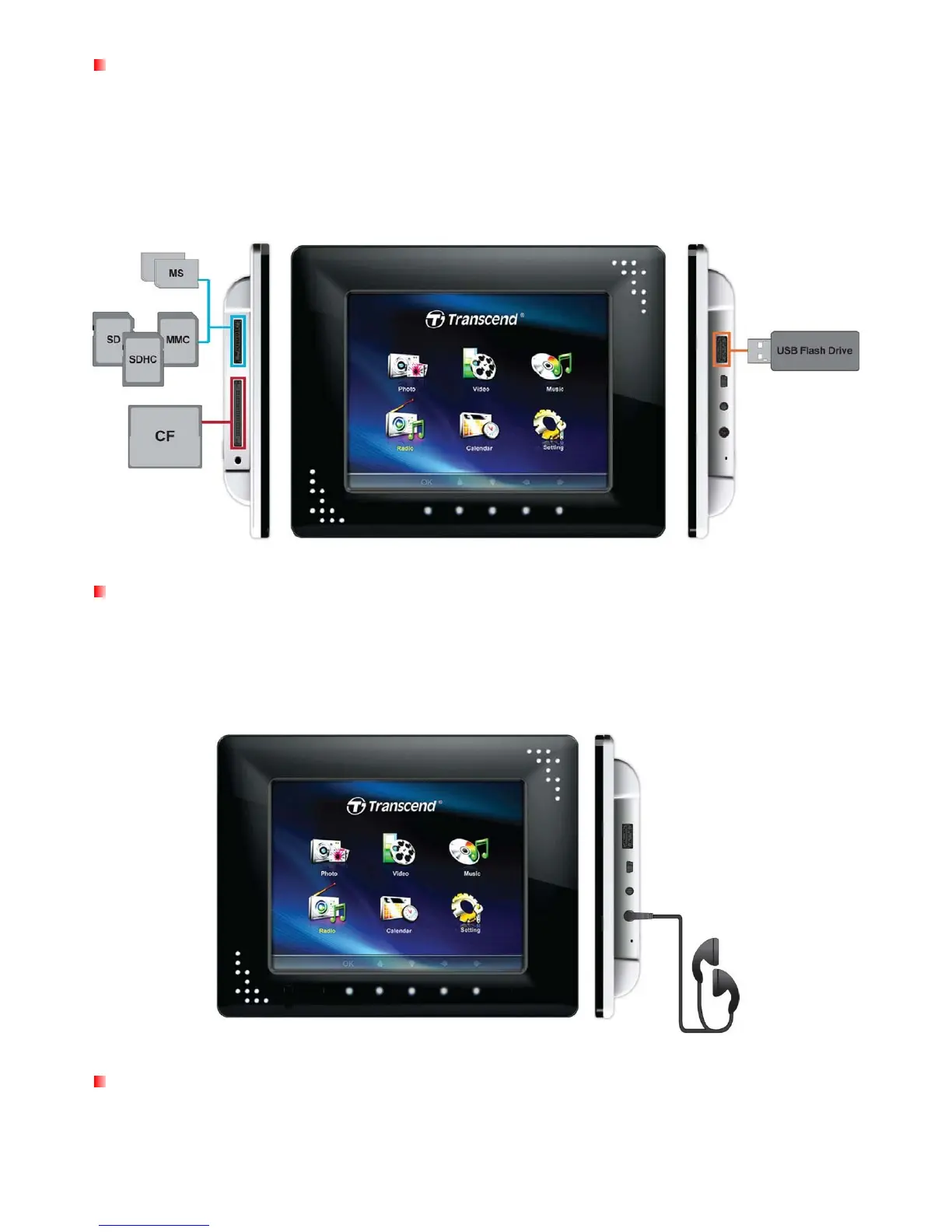
Using a memory card or USB flash drive
1. Insert a memory card into its appropriate card slot on the left-hand side of the Photo Frame or plug a
USB flash drive to the USB port on the right-hand side.
2. Once a memory card or USB flash drive is plugged in, the Photo Frame will automatically begin
slideshow playback of all photos available on your memory card or flash drive.
The Photo Frame will revert to the Home menu if you unplug a memory card or USB flash drive while in use.
Built-in speakers and headphones
The Photo Frame includes built-in speakers for playing back background music during slideshows, or for
listening to MP3 music or watching videos. To enjoy your music more personally you can plug your own
headphones into the headphone jack located on the right side of the Photo Frame. The built-in speakers will
be disabled while headphones are plugged in.
Menu Buttons
On the front of the Photo Frame, there are eight convenient touch sensitive menu buttons that illuminate
when pressed These buttons, which are represented in this manual with capital letters (ex: EXIT), can be



 To Next Page