9. S1: SCALE 1 working state
10. S2: SCALE 2 working state
11. S3: SCALE 3 working state
12. LoB: low voltage, please charge battery
13. CHG: charged state, red LED lights up when charging, when the battery is fully charged, Red
and Green LED lights flash alternately.
4.1.2 Key functions
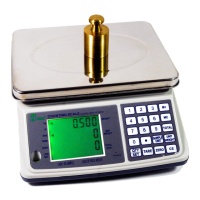
1. SCALE/SELECT: Press this button to select available counting scale among scale 1, scale 2, and
scale 3. You can only choose to use one of them at a time.
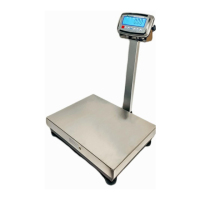
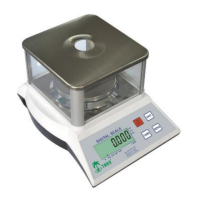
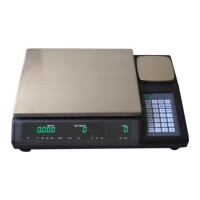
SCALE 1: Main counting scale, the bigger platform
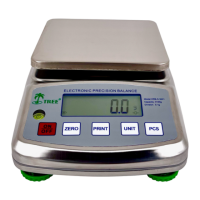
SCALE 2: Smaller counting scale offers more accuracy
SCALE 3: Extra connection platform. When we get the sample weight from SCALE 2, we
can use this platform to count more samples.
Operation way:press< Scale/ select > key,WEIGHT line will show flashed [SCALE 1], press
< Scale/ select > key to select then press <Enter> key to confirm .
2. UNIT key changes the weight units between kg and lb
3. ZERO key sets display to zero or subtract the container weight. The zero range is <10% of full
capacity. ZERO LED indicator will illuminate when you active the ZERO function.
4. TARE key subtracts the weight of a container placed on the weighing platform. The tare range is
<100% full capacity. Press the TARE key to enable the Auto-Tare function, the TARE LED
indicator will illuminate when you activate the TARE function.
Operation way 1 : turn on the scale and wait for ZERO mode then place container
press<TARE>key ,WEIGHT line will show flashed 0.0000,TARE LED indicator will light up
when you activate it.
Operation way 2:( new version function)turn on the scale and wait for ZERO mode then
place container press<TARE>key, WEIGHT line will show -X.XXX,ZERO LED indicator will
light up when you activate it.
5. PRINTER key is used to transmit data to a printer, computer, or other device.
It should be connect to PC or printer by USB or RS232.
6. ENTER key has the same function as it would on a computer keyboard.
7. MEM/STORE key is the SAMPLE WEIGHT MEMORY KEY. Press this key to memorize sample
weight, scale can memorize up to 16 different sample weights.
eg:if you want to store sample weigh 0.22047 (1/1000 lb)at place 7,please operate as
below:
press [MEM/STORE],WEIGHT line will show flashed [01],press [* ] to select storage place
7 then press ENTER to confirm.


 To Next Page