K-Series Scale Operation Manual
Rev 2, 12_16_2015 15
Application Menu
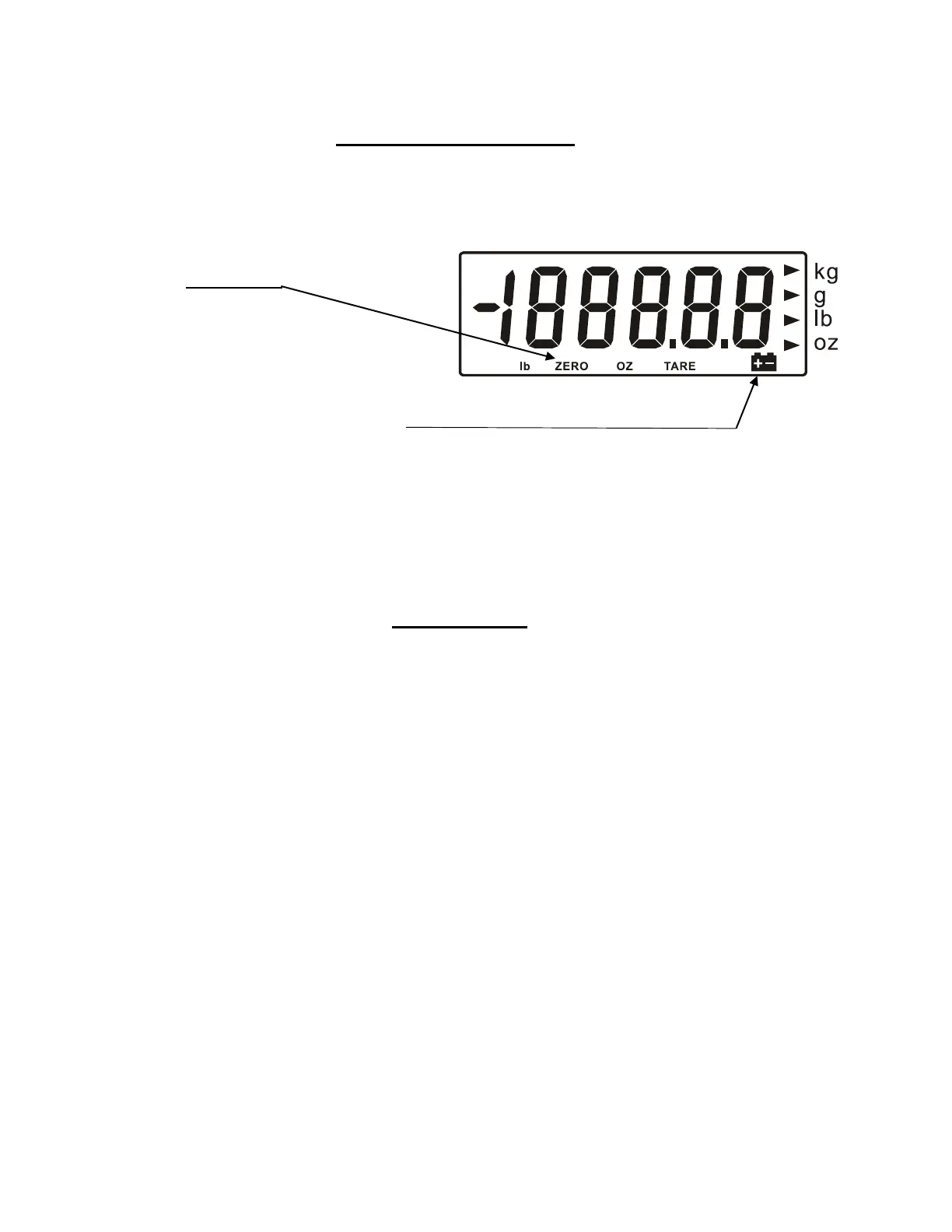
Display
Key Functions
The ON/OFF key is to turn the Scale On or Off
The UNIT key is to toggle between different weight units.
The ZERO key sets the display to Zero.
The TARE key is to subtract the weight of a containers
Functions
To set these functions the scale should be off
Auto Shut Off Mode
Press and hold the “Zero” key simultaneously with the “On/Off” key.
The display will show A-On (Auto Shut off active) or
A-Off (Auto Shut off deactivated)
Press the “Zero” key to toggle between A-On and A-Off.
Setting the Backlight
Press the “Unit” key and the display will show L – On (Backlight active) or L-Off
(Backlight not active)
Press the “Zero” key to toggle between L-On and L-Off
Press the “On/Off” key to two times to return to normal operation.
Zero Indicator
Indicates when the scale
zero is correct
LOW BATTERY indicator
_______________________
______________________


 To Next Page