1. 2.
1. 2.
3. 4.
3. 4.
11
ENGLISH
1.6. Rack Battery (RIDE+ R250, RIDE+R320)
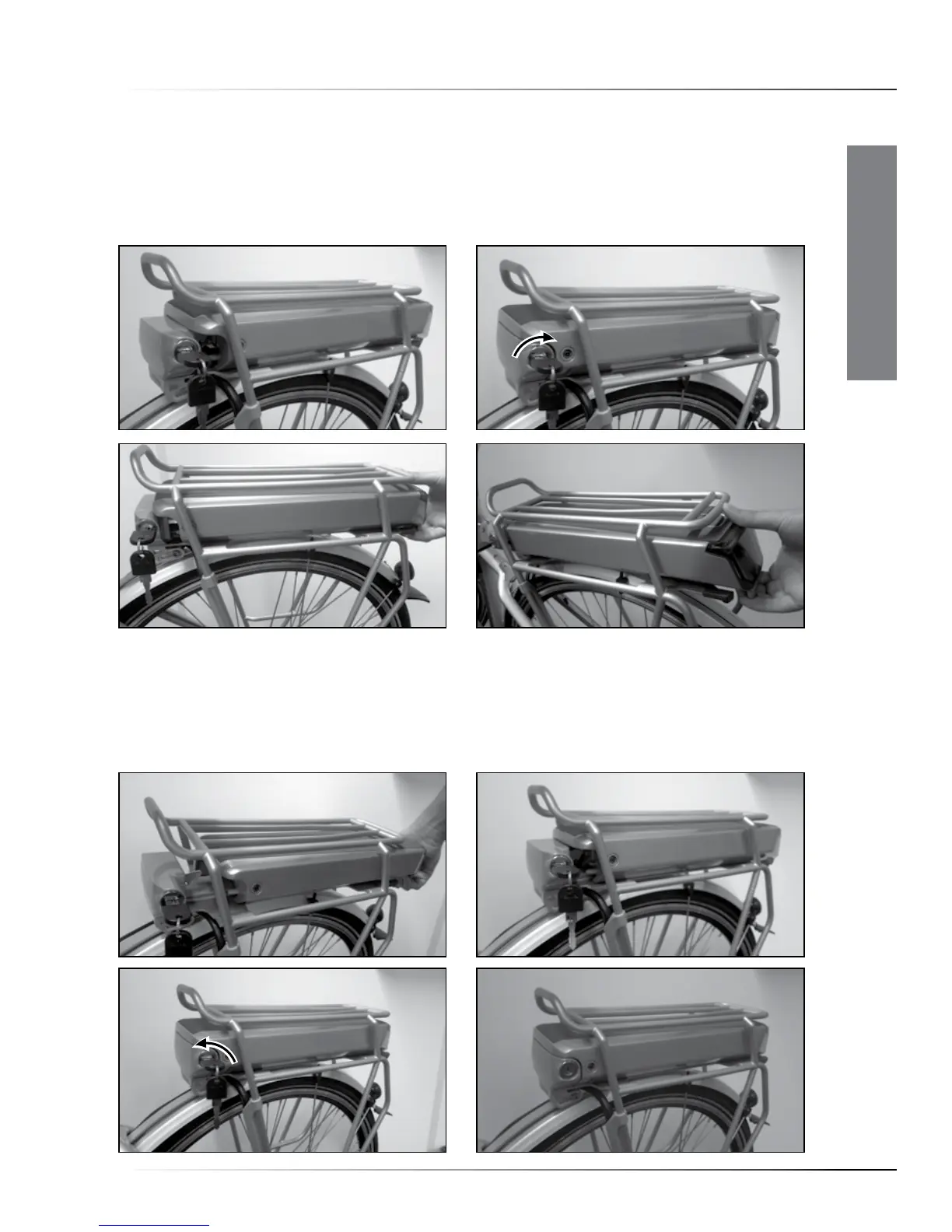
• Removing the battery-pack
Insert the key in the lock, twist the key clockwise (1,2). Now slide the battery-pack rearwards out of
the rear rack (3,4). After you remove the battery, don’t forget to take the keys out of the lock.
• Replacing the battery-pack
Slide the battery-pack into the rack, electrical-contact side first (1). Carefully push all the way
forward, also through a slightly higher resistance at the end (2,3). Now turn the key of the lock
counter clockwise until the battery is locked and take the key out of the lock (4). Do not ride the
bike with the lock open.
Rack Battery - Quick start








 To Next Page