I/O Ports
• USB 2.0: These ports are USB 2.0 compliant.
• Serial Console: Connect to this port to manage the appliance from your terminal.
• Video: Connect a monitor to this port to view the appliance's command-line
interface.
• USB 3.2: These ports are USB 3.2 compliant.
Management Ports
• ether1 (RJ45): Connect your LAN to this port to enable remote access to the CLI
and Web UI. The RJ45 connector is a 10/100/1000BASE-T port.
• IPMI: Connect for access to out-of-band management functions, including power
control, console redirection, and appliance health status. The connector is a
10/100/1000BASE-T port.
Live Mode Analysis Ports
• pether2 (RJ45): The RJ45 connector is 10/100/1000BASE-T port.
SMTP Interface Ports
• pether3 through pether6 (SFP+): The SFP+ ports support 1G or 10Gbps data rate.
pether (SFP+): The SFP+ connectors accept the following modules:
• 1000BASE-SX/10GBASE-SR (LC MMF)
• 1000BASE-LX/10GBASE-LR (LC SMF)
• 1000BASE-T (RJ45)
• 10GBASE-CU (5m direct attach cable)
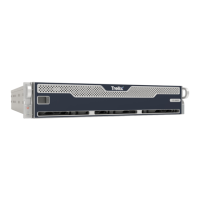
EX Series The EX 8600
Page 7 © 2022 FireEye Security Holdings US LLC


 To Next Page