
 Need help?
Do you have a question about the Trellix FireEye EX Series and is the answer not in the manual?
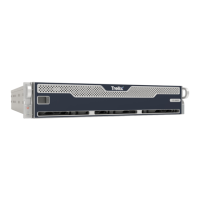
Overview of the front panel components and indicators.
Description of the EX 8600 rear panel connectors and ports.
Details regarding I/O, Management, Live Mode, and SMTP interface ports.
Explains the EX 8600's role as an MTA inline with email traffic.
Details the Bcc: deployment mode for email analysis and notification.
Describes SPAN/TAP deployment for traffic mirroring and analysis.
Steps for unpacking and choosing an appropriate installation location.
Safety precautions for rack mounting, server placement, and stability.
Essential power and ventilation specifications for the appliance.
Instructions for connecting cables and physically installing the appliance.
Steps to power on the appliance after installation.
Procedure for initiating a return for defective hardware.
Detailed steps for replacing disk drives, power supplies, and cooling fans.
Comprehensive technical specifications for the EX 8600.
Information on how to access official documentation for FireEye products.
The Trellix EX 8600 is a sophisticated hardware appliance designed to provide advanced email security, specifically targeting spear phishing attacks and zero-day threats that bypass traditional anti-spam technologies. It operates by analyzing email attachments and content in a dynamic, signature-less virtual execution environment. This environment meticulously mimics various operating systems, applications, and browsers, complete with an exhaustive list of versions, configurations, and plug-ins, to detect and detonate malicious content. Beyond email, the EX 8600 also offers layers of dynamic malware analysis to protect networks from threats embedded in malicious images, PDFs, and various archive formats like ZIP, RAR, and TNEF.
The appliance can be deployed in several modes to integrate seamlessly into existing network infrastructures. In Message Transfer Agent (MTA) deployment, the EX 8600 acts inline with the email traffic flow. It can be configured for Block Analysis Mode, which is the default, preventing malicious emails from reaching the mail server, or Monitor Analysis Mode, where all emails pass through to the mail server, and only copies are analyzed for threats. This flexibility allows organizations to choose between proactive blocking and passive monitoring based on their security policies and operational needs.
Another deployment option is Bcc: mode, where the EX 8600 receives a copy of all emails from an MTA or anti-spam device for analysis. If malicious attachments or URLs are detected, a notification is sent to configured email aliases, enabling administrators to take appropriate action. For broader network monitoring, the appliance supports SPAN/TAP deployment, connecting to a network switch capable of mirroring traffic. In this mode, the EX 8600 extracts email from the mirrored traffic for analysis without directly impacting the flow of email.
The EX 8600 features a user-friendly front panel with several buttons and LED indicators to provide immediate status feedback. A power button controls the primary power to the server, while a reset button allows for system reboots. Various LEDs indicate the appliance's operational status, including power, network activity (LAN 1 and LAN 2), and hard drive activity (HDD Activity LED). An Information LED provides critical alerts, signaling conditions such as overheating, fan failure, power supply failure, fault detection, and recovery mode. It also indicates when the Unit Identification (UID) is activated, which helps locate the server in a rack environment, and provides status on BMC (Baseboard Management Controller) activities like resetting, setting factory defaults, and firmware updates. Drive Carrier LED Indicators on the front of each drive carrier show drive activity (green) and drive failure (red), ensuring quick identification of storage issues.
The rear view of the EX 8600 reveals a comprehensive array of ports for connectivity and management. It includes two power supply units (PSUs), offering redundancy to ensure continuous operation even if one unit fails. I/O ports consist of a Serial Console Port for terminal management, USB 2.0 and USB 3.2 ports for peripheral connections, and a VGA Connector for monitor display. Management ports include an ether1 (RJ45) port for LAN connection, enabling remote access to the Command Line Interface (CLI) and Web UI, and an IPMI port for out-of-band management functions like power control, console redirection, and appliance health status. For live mode analysis, there's a pether2 (RJ45) port. SMTP Interface Ports (pether3 through pether6, SFP+) support 1G or 10Gbps data rates and accept various modules, including 1000BASE-SX/10GBASE-SR (LC MMF), 1000BASE-LX/10GBASE-LR (LC SMF), 1000BASE-T (RJ45), and 10GBASE-CU (5m direct attach cable), providing flexible connectivity options for integrating with MTA or anti-spam devices.
Installation of the EX 8600 requires careful consideration of the site environment. Guidelines emphasize sufficient clearance for rack doors, avoidance of heat, electrical noise, and electromagnetic fields, and installation in restricted access locations with proper ventilation and airflow. Rack precautions include ensuring the rack's stability with leveling jacks and stabilizers, extending only one component at a time, and meeting safety requirements. Server precautions involve reviewing electrical and general safety guidelines, determining component placement, ensuring six inches of clearance behind the chassis for cable management, and installing the heaviest components at the bottom of the rack first.
The appliance is designed for easy rack-mounting in a standard 19-inch rack. The installation process involves attaching inner rails to the appliance, then outer rails to the rack, and finally sliding the appliance into the rack until it locks. Optional captive screws can further secure the appliance. Cabling involves connecting the EX Series appliance to network devices appropriate for the chosen deployment mode and attaching power cables to the redundant power ports. The appliance is powered on by pressing the power button on the front ear.
Maintenance features are designed for ease of serviceability. The EX 8600 supports hot-swappable disk drives, allowing for replacement without powering down the appliance. The process involves removing the front bezel, locating the failed drive indicated by a blinking amber LED, unlocking and releasing the drive handle, pulling out the old drive, and inserting a new one until it clicks. Similarly, power supply units are redundant and hot-swappable. Replacing a PSU involves removing the power cable, gripping the handle and pressing the release lever to pull out the failed unit, and inserting a new one until it clicks, then reattaching the power cable. Cooling fans can also be replaced by turning off the appliance, removing the top cover, squeezing the plastic release tab to remove the old fan, inserting a new one in the correct orientation, and securing the top cover. These features minimize downtime and simplify hardware maintenance.
For technical support, users are directed to the FireEye Support portal, and comprehensive documentation for all FireEye products is available on the FireEye Documentation Portal, requiring a login for access. This ensures that users have the necessary resources and assistance for operating and maintaining their EX 8600 appliance effectively.
 General
| Model | EX Series |
|---|---|
| Management Interface | Web UI, Command Line Interface (CLI), API |
| Reporting | customizable reports |
| Integration | SIEM, threat intelligence platforms |
| Security Features | sandboxing |

 To Next Page