Terminal servers are provided for console access.
The required settings for Hyperterminal are as follows:
• Baud rate: 115200 • Stop Bits: 1
• Number of Bits: 8 • Control Flow: None
• Parity: None
e Plug one end of the power cable into the power inlet and plug the other end into a power source. The
Sensor ships with standard US power and international cables.
Note
The NS-series Sensor does not have a power switch. You can directly plug the power cable into a power
source.
5 Connect the monitoring ports
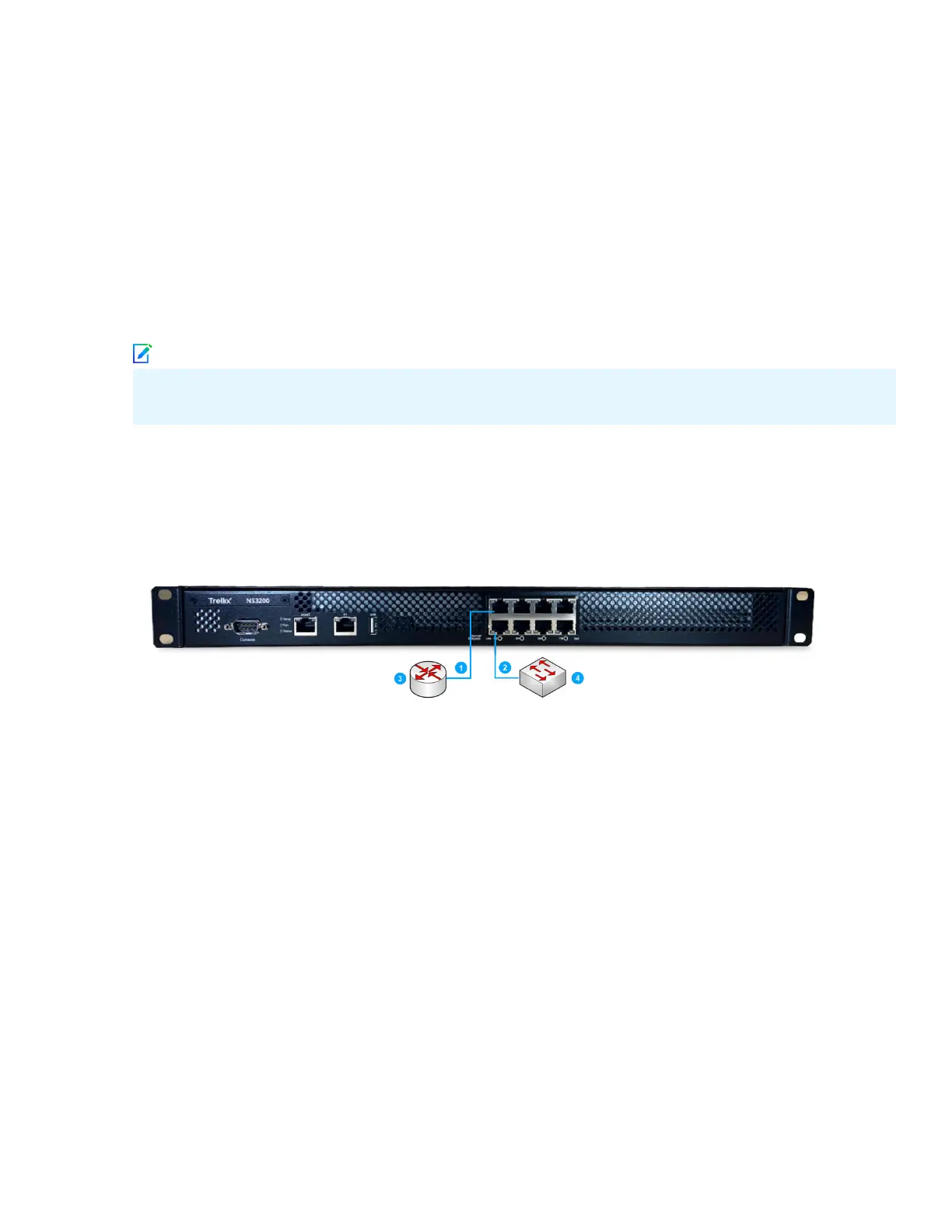
This procedure describes how to connect cables to a Sensor that runs in inline mode.
a Plug the cable appropriate for use with your transceiver module into one of the monitoring ports labeled
x (for example, 1).
b Plug the cable appropriate for use with your transceiver module into one of the monitoring ports labeled
y (for example, 2).
c Connect the other end of each cable to the network devices that you want to monitor. For example, if you
plan to monitor trac between a switch and a router, connect the cable connected to 1 to the router (3)
and the one connected to 2 to the switch (4).
7



 To Next Page