c
Select the Sensors tab and then click .
Note
You do not require a license le to enable IPS on NS-series Sensors.
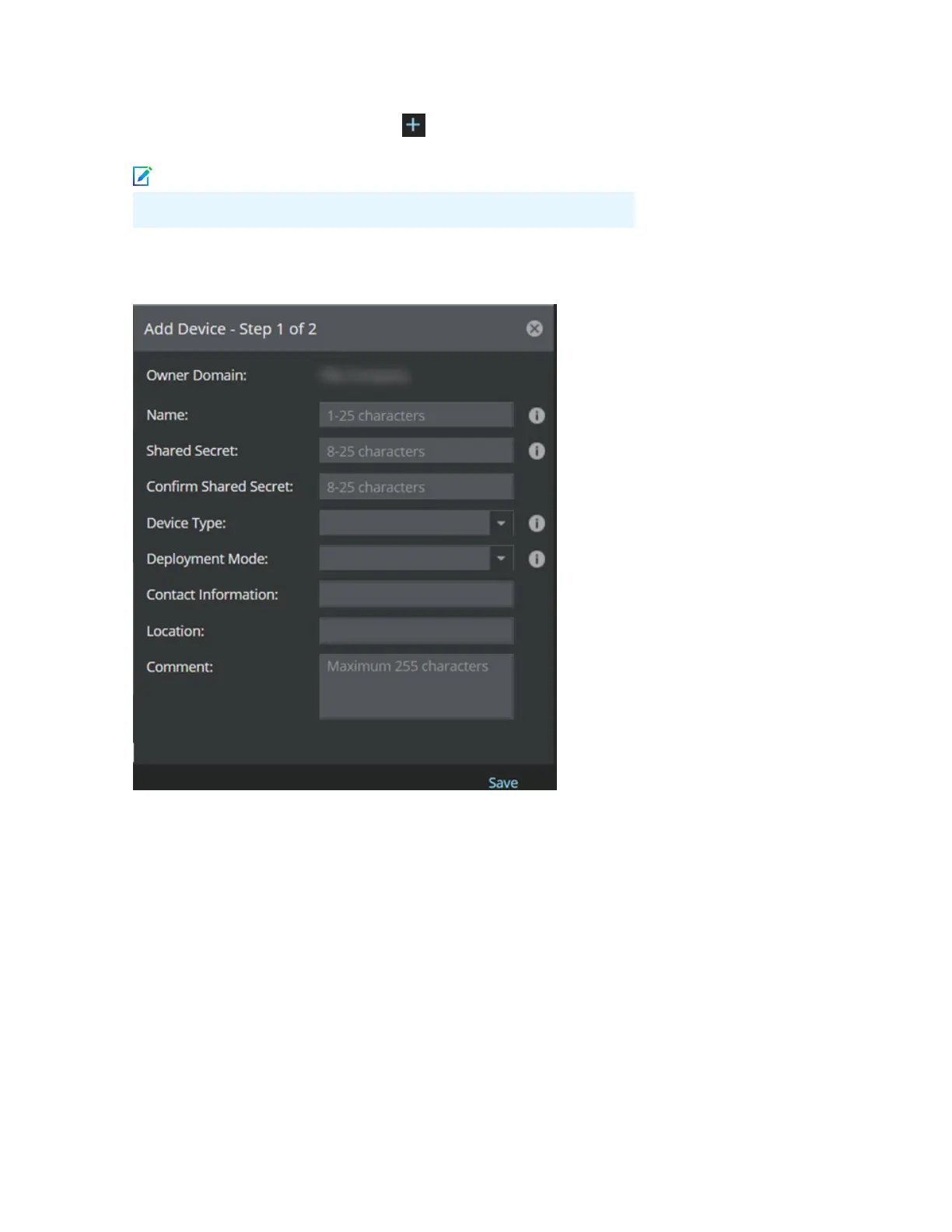
The Add Devices - Step 1 of 2 panel is displayed.
d Enter the following mandatory information in the appropriate elds:
1) Name — The Sensor name must begin with a letter. The maximum length of the name is 25
characters.
2) Shared Secret — The shared secret must be a minimum of 8 characters and maximum of 25
characters in length. The key cannot start with an exclamation mark nor can have any spaces. The
parameters that you can use to dene the key are listed below:
• 26 alphabets: Uppercase and lowercase
(A, B, C,...Z and a,b,c,...z)
• 32 symbols: ~ ` ! @ # $ % ^ & * ( ) _ + ‑ =
[ ] { } \ | ; : " ' , . <? /
• 10 digits: 0 1 2 3 4 5 6 7 8 9
9



 To Next Page