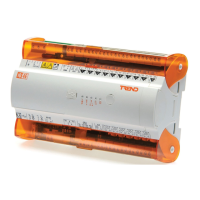
IQ422, IQ4NC/00, IQ4NC/12 Controllers Installation Instructions - Mounting TG201264 Issue 12, 04-Feb-2020. Applies to v4.30 9
Installation Instructions - Mounting IQ422, IQ4NC/00, IQ4NC/12
13
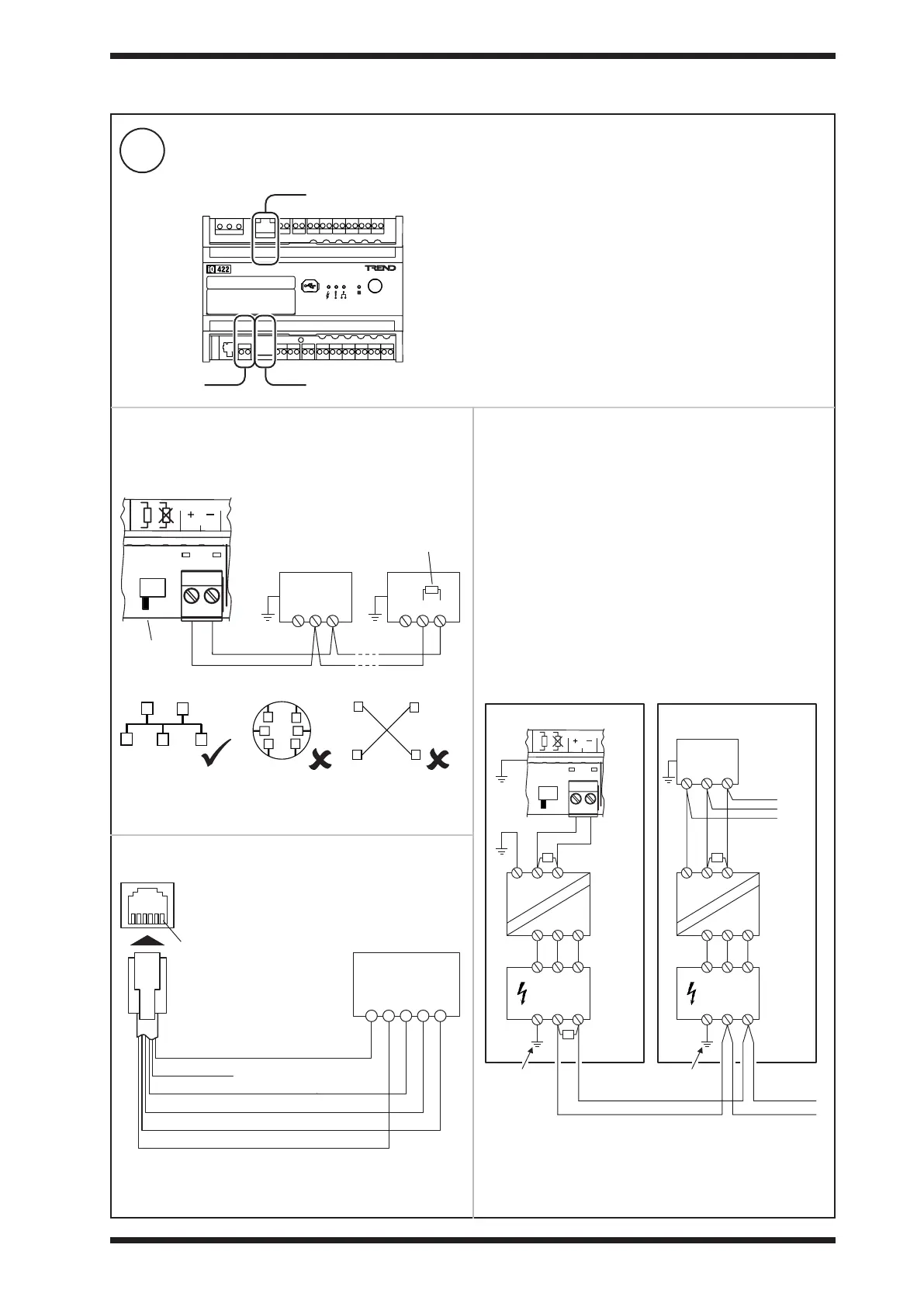
Connect to XNC Interface (../XNC variants only, if required)
3 INSTALLATION (continued)
Earthing (Grounding) & Isolation Requirements
If the IQ422, IQ4NC/00, IQ4NC/12 and other units on the bus
are in the same cabinet using the same power supply, each
device must have a good physical earth (ground) connection.
If the IQ422, IQ4NC/00, IQ4NC/12 and other units on the bus
are in dierent cabinets or use dierent power supplies (e.g.
dierent UPS units), the cabinets must be isolated from each
other.
If the bus is likely to suer from surge and grounding problems,
surge protection should be added. The isolator should be
connected to the earth (ground) of the nearest device, the 0V
of the isolator and the surge protector should be connected
together, and earth (ground) of the surge protector’s exposed
side (e.g. backbone bus) should be connected as directly
as possible to the surge ground or earth bond. Ensure that
terminators are tted where indicated.
Cabinet A
IQ4
Cabinet B
Isolating
Repeater
Surge
Protection
terminate
at far end
Backbone Bus
to other devices
Surge Ground
or Earth Bond
0V
0V
A
A
B
B
0V
AB
0V
A
T
T
B
0V
AB
Isolating
Repeater
Surge
Protection
0V
AB
0V
AB
0V
A
T
B
0V
AB
Surge Ground
or Earth Bond
RS-485
82
83
Connect using either the RS-485 Port, RS-232 Port (local supervisor) or Ethernet Port.
RS-232 Port (local supervisor)
RS-485 Port Ethernet Port (see step 7)
RS-485 2-wire system
RS-232 system
Note: For connection to an RS-485 4-wire system a suitable
2- to 4-wire converter will be required.
Terminator
switch ON
32 devices maximum
120 Ohm
terminator
Terminal size: 0.14 to 2.5 mm
2
(22 to 12 AWG).
Terminal screw torque: 0.45 to 0.62 Nm (4 to 5.5 lb.in).
RJ12 / FFC68
Plug
Local
Supervisor
Port
1 - RX
2 - NC (24V)
3 - CTS
4 - RTS
5 - GND
6 - TX
TX
RX
RTS
CTS
GND
pin 1
Note: When in use for XNC
the local supervisor port
cannot be used to connect
supervisory tools or devices.
Note: CTS and RTS connections may be connected dierently
or not used - check the device data/installation sheet.



 To Next Page