EasyManua.ls Logo

TRENDnet AC3200 - Page 23

TRENDnet AC3200
64 pages
Print Icon
To Next Page IconTo Next Page
To Previous Page IconTo Previous Page
Loading...
©Copyright
2
TREND
n
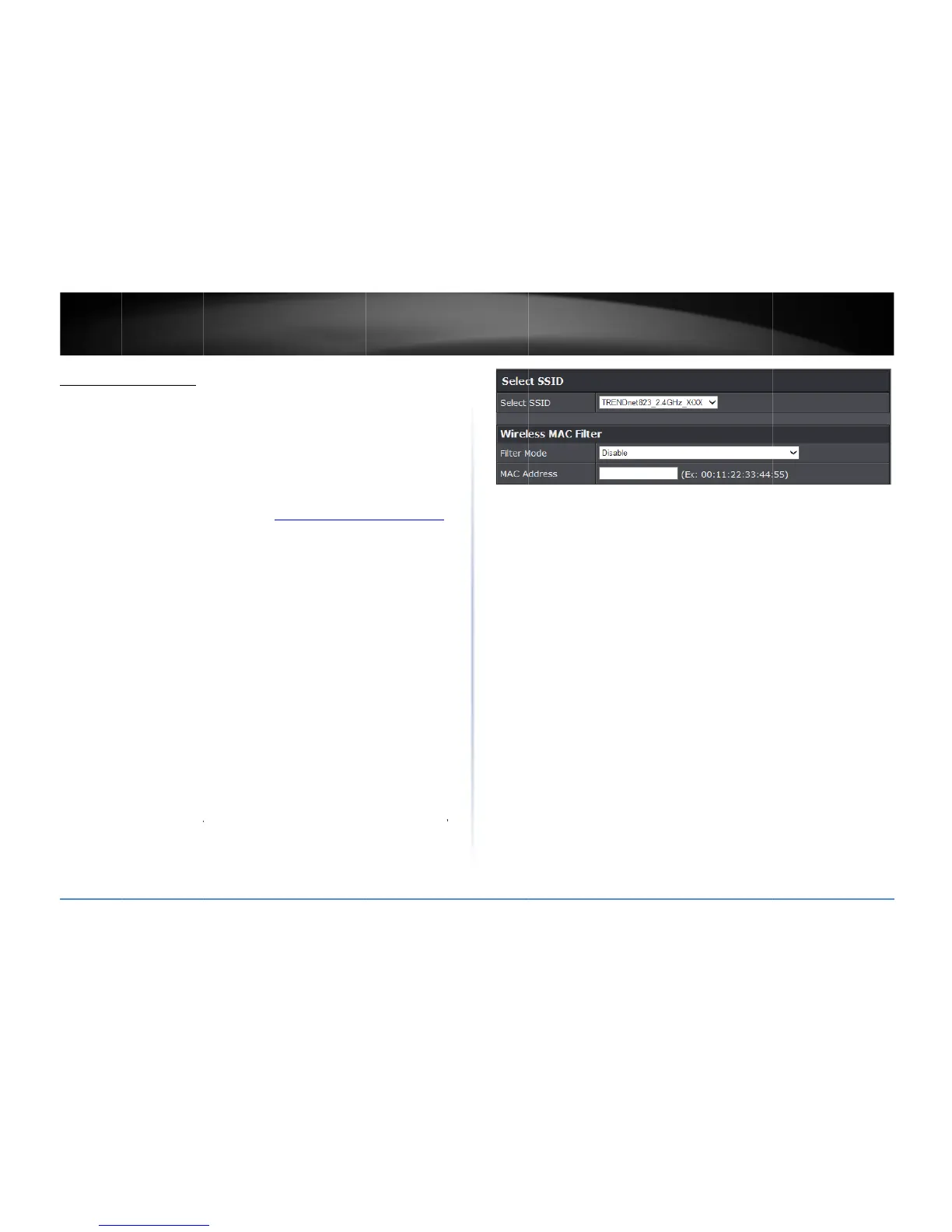
MACFilte
A
dvanced>
W
ThisMACfilte
hasaunique,
beassignedo
r
networkwhic
h
accessrules,
y
wiredorwirel
1.Logintoyo
u
onpage9).
2.Clickon
Ad
v
3.Reviewthe
Sele
c
selec
Wire
o
o
2
014TRENDnet.Al
l
n
etUser’sG
u
r(Wireless)
W
ireless(2.4GHzor
risdedicatedtofi
12digitMAC(Me
d
r
configuredwith
a
h
istypicallyassig
n
y
oucandenyspeci
f
essnetworkbysp
e
u
rroutermanage
m
v
anced
andclicko
MACFilteroption
s
c
tSSID
Ifyouha
v
twhichSSIDtoap
lessMACFilter
o
FilterMode
Disa
b
Allo
w
funct
i
toac
c
andt
h
Deny
funct
i
listed
mana
o
MACAddress
tothisfilter.
l
RightsReserved.
u
ide
5GHz)>MACFilte
lteroneachband
a
d
iaAccessControl
)
a
specificIPaddres
n
edbyyourrouter
f
iccomputersand
e
cifyingtheMAC
a
m
entpage(seeA
c
n
Wireless(2.4GH
z
s
.Click
Apply
tosa
v
emultipleSSIDsc
o
plytheMACfilter.
b
led
disablesMA
C
w
listedcomputers
i
onallowscomput
e
c
essthelocalnet
w
h
eInternet.
listedcomputers
a
i
ondeniescompu
t
fromaccesstoth
e
gement,andtheI
n
EntertheMACa
r
a
ndeachSSID.Ev
e
)
address.Everyn
e
sinordertocom
m
DHCPserverauto
m
otherdevicesfro
m
a
ddressorIPaddr
e
c
cessyourrouter
m
z
or
5GHz)
,thencl
vesettings.
o
nfigured,clickth
e
C
addressfilter.
anddenyallothe
e
rs/deviceswith
M
w
ork(LAN/WLAN),
w
a
ndallowallothe
t
ers/deviceswith
M
e
localnetwork(L
A
n
ternet.
ddressofthewire
e
rynetworkdevice
e
tworkdevicemus
t
m
unicatewithyou
r
m
atically.Using
m
usingthisrouter
e
ss.
m
anagementpage
ickon
MACFilter
.
e
dropdownlistt
o
rs:
Selectingthis
M
ACaddresseslist
e
w
ebmanagement
,
rs:
Selectingthis
M
ACaddresses
A
N/WLAN),web
lessdevicetoappl
y
t
r
s
o
e
d
,
y

TEW828
D
D
RU
20

Related product manuals