EasyManua.ls Logo

TRENDnet AC3200 - Virtual Server and Port Forwarding

TRENDnet AC3200
64 pages
Print Icon
To Next Page IconTo Next Page
To Previous Page IconTo Previous Page
Loading...
©Copyright
2
TREND
n
Createsc
h
A
dvanced>S
e
Foradditional
timeperiod
w
youusethes
c
configuredco
Note:
Youca
n
Wire
l
Gues
Pare
n
A
cce
s
Virtu
Spec
i
Gam
i

1.Logintoyo
u
onpage9).
2.Clickon
Ad
v
2
014TRENDnet.Al
l
n
etUser’sG
u
h
edules
e
tup>Schedule
securitycontrol,
y
w
henafeatureon
y
c
hedulingfeature
o
rrectly.
n
applyapredefine
l
ess(2.4GHzand5
tNetwork
n
talCont rol(MAC
/
s
sControl(IPProt
o
alServer
i
alApplications
i
ng
u
rroutermanage
m
v
anced
andclicko
l
RightsReserved.
u
ide
y
ourrouterallows
y
y
ourroutershould
o
nyourrouter,en
s
dscheduletothe
f
GHz)
/
IPFilters)
o
colFilters)
m
entpage(seeA
c
n
Setup,
thenclic
k
y
outocreatesche
beactivatedand
d
s
urethatyourrou
t
f
ollowingfeatures:
c
cessyourrouter
m
k
on
Schedule
.
dulestospecifya
d
eactivated.Befor
e
t
ersystemtimeis
m
anagementpage
e
3.Revi
e

R
D
s
A
t
S
f
N
e
wtheSchedules
e
R
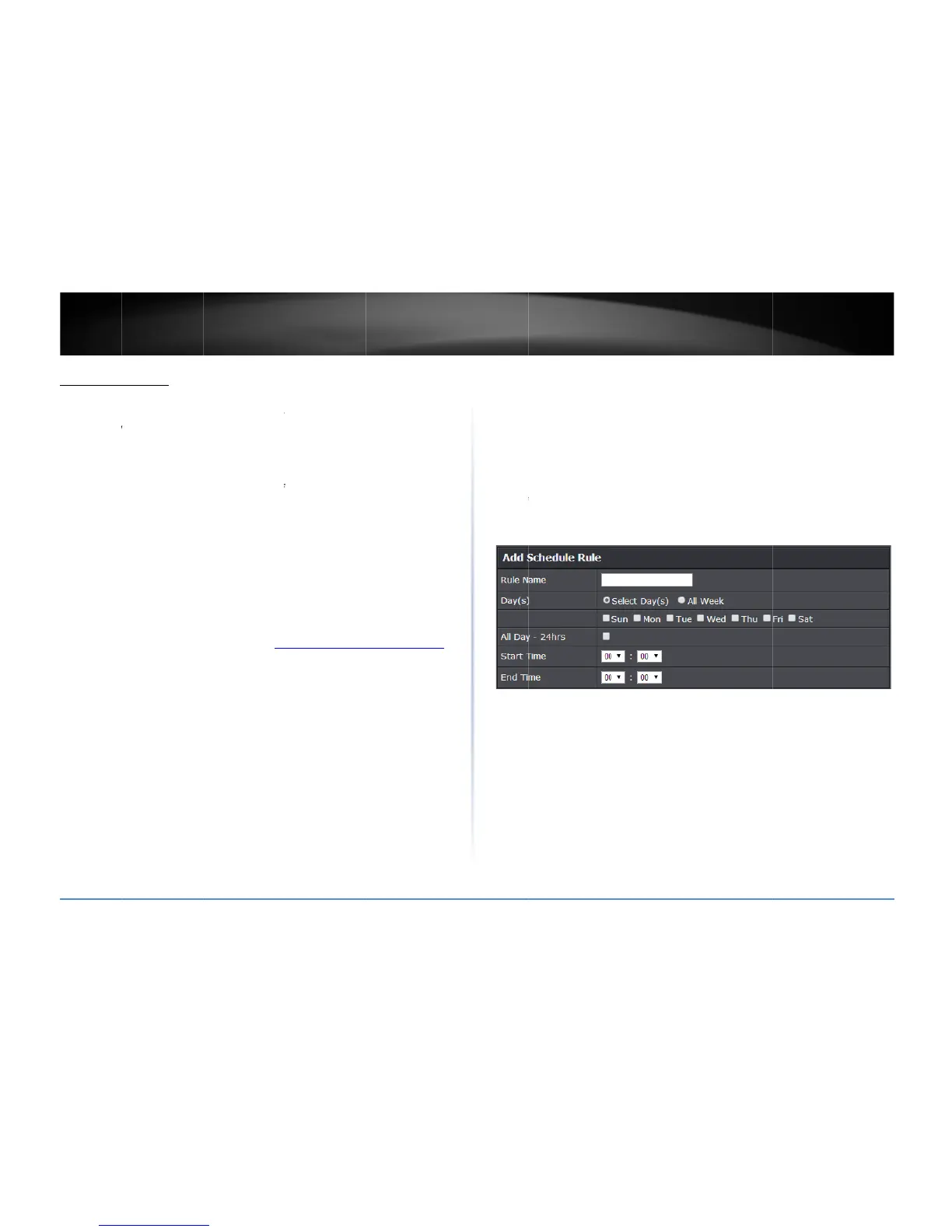
uleName:
Enter
a
D
ay(s)/SelectDay(
s
ectionorselect
Al
A
llDay24Hours
t
hescheduleunde
r
S
tart/EndTime:
S
e
f
ollow.
N
ote:
Theschedul
e
e
ttings.Click
Apply
a
nameforthesch
e
s):
Check
SelectD
a
lWeek
tosetthe
s
Checktheoptio
n
r
StartTime
and
E
n
e
lectthestartand
e
e
definedwilldefin
e
tosavesettings.
e
duleyouwouldli
a
y(s)
toselectthe
d
s
cheduleforallda
y
n
tosetthesched
u
n
dTime.
e
ndtimeyouwoul
e
thetime/daythe

TEW828
D
ketoapply.
d
aysinthe
Select
D
y
s.
u
leto24hoursor
d
dliketheschedul
e
featurewillbeac
t
D
RU
33
D
ay(s)
d
efine
e
to
t
ivated.

Related product manuals