EasyManua.ls Logo

TRENDnet AC3200 - Add S Static Routes

TRENDnet AC3200
64 pages
Print Icon
To Next Page IconTo Next Page
To Previous Page IconTo Previous Page
Loading...
©Copyright
2
TREND
n
Allowre
m
A
dvanced>S
e
Youmaywan
t
officeoranot
h
1.Logintoyo
u
onpage9).
2.Clickon
Ad
v
3.Reviewthe
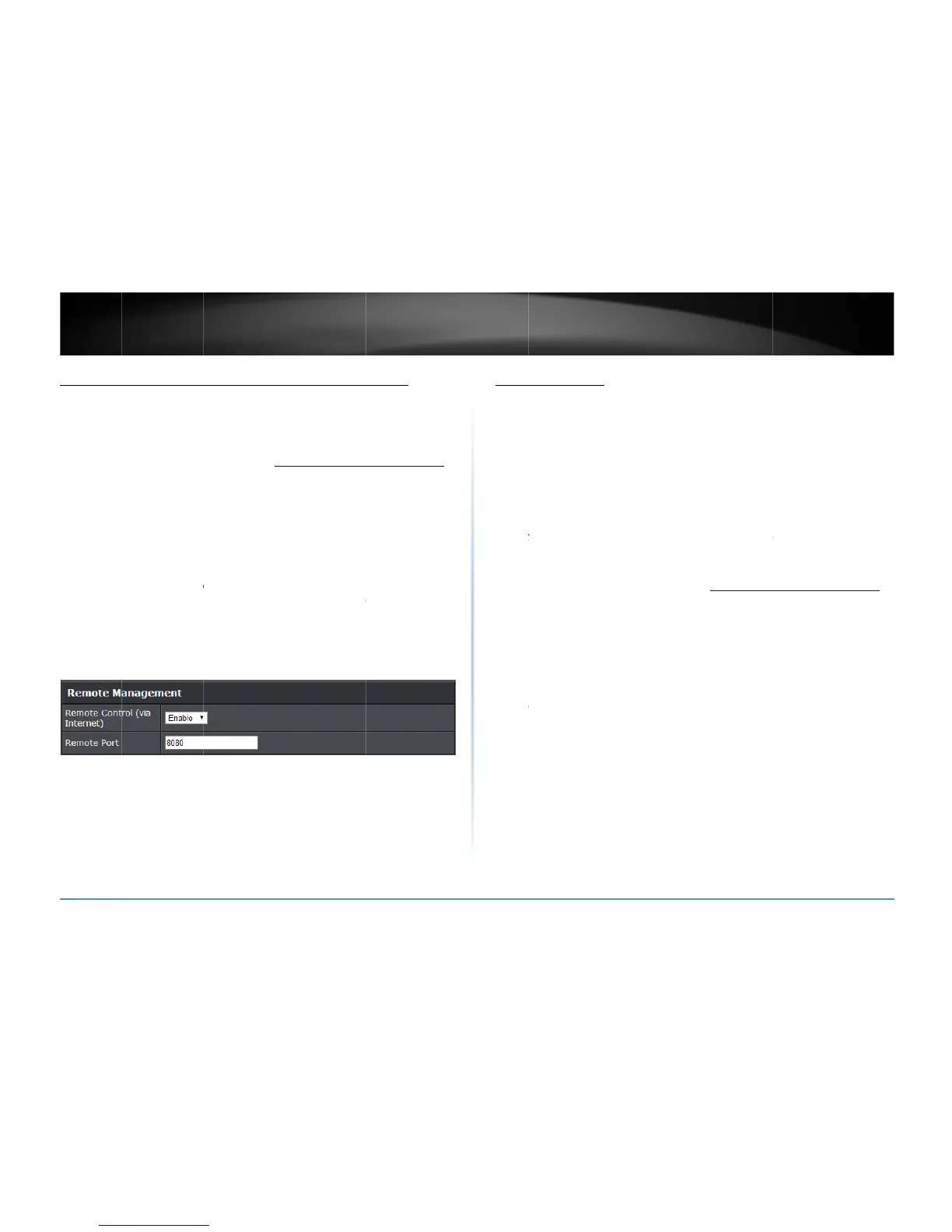
Remot
e
enable
Remot
e
recom
m
Note:
I
f
virtual
s
(Reco
m
2
014TRENDnet.Al
l
n
etUser’sG
u
m
oteaccesst
o
e
tup>Manageme
n
t
tomakechanges
h
erlocationwhile
u
rroutermanage
m
v
anced
andclick
S
e
settingonthe
Re
m
e
Control(viaInte
r
remotemanagem
e
e
Port:
Enterthep
m
endedtoleavet
h
f
youhaveconfigu
r
s
erverorspeciala
p
m
mendedportran
g
l
RightsReserved.
u
ide
o
yourroute
r
n
t
toyourrouterfro
m
awayfromyourh
o
m
entpage(seeA
c
e
tup
,thenclickon
m
oteManagemen
t
r
net):
Clickthedr
o
e
ntor
Disable
to
d
orttoassignremo
h
issettingas8080.
r
edport8080for
a
p
plication,please
c
g
e102465534)
r
manageme
n
m
aremotelocati
o
o
me.
c
cessyourrouter
m
Management
.
t
section.Click
Ap
p
o
pdownlistands
e
d
isableremotema
n
teaccesstother
o
a
notherconfigurat
i
c
hangetheportto
n
tpage
o
nsuchatyour
m
anagementpage
p
ly
tosavesetting
s
e
lect
Enable
to
n
agement.
o
uter.Itis
i
onsectionsuchas
use.
s
Add
s
A
dvanc
Youma
otherl
o
determ
thecas
e
networ
twone
t
betwe
e
exampl
toacce
s
Note:
C
knowle
d
1.Logi
n
onpag
e
2.Click
3.Revi
e
D
f
D
t
G
1
M
l
o
I
s
taticroutes
ed>Setup>Routi
n
ywantsetupyou
r
o
calnetworksthro
inedbytheIPadd
r
e
ofanexample,y
o
kmayhave192.1
6
t
worksarediffere
n
e
nthetwoseparat
e
ediagramwherer
s
stheothernetw
o
C
onfiguringthisfe
a
d
ge.
n
toyourrouterm
a
e
9).
on
Advanced
and
e
wtheRoutingsec
D
estinationIPAdd
f
ortheroute.(e.g.
D
estinationIPNet
m
t
heroute.(e.g.255
.
G
ateway:
Enterth
e
1
92.168.10.2)
M
etric:
Enterthe
m
o
westnumber1b
e
nterface
Selectt
n
g
r
routertoroutec
o
ughotherrouters.
r
essingassignedt
o
o
urnetworkmay
h
6
8.20.xIPaddressi
n
n
t,theyaresepara
t
e
networks,static
r
outingisneededf
o
o
rk.
a
tureassumesthat
a
nagementpage(
s
clickon
Setup
,th
e
tion.Click
Add
to
s
ress:
EntertheIP
n
192.168. 20.0)
m
ask:
Enterthes
u
.
255.255.0)
e
gatewaytothed
m
etricorpriorityo
f
e
ingthehighestp
r
heinterfacetoas
s
o
mputersordevic
e
Generally,differe
n
o
thosenetworks.
G
h
ave192.168.10.x
n
gandbecauseth
e
t
enetworks.Inor
d
r
outingneedstob
e
o
rdevicesandco
m
youhavesomeg
e
s
eeAccessyourr
o
e
nclickon
Routing
s
avesettings.
n
etworkaddresso
f
u
bnetmaskofthe
d
estinationnetwor
k
f
theroute.Them
e
r
iority.(e.g.1)
s
igntheroute.

TEW828
D
e
sonyournetwor
k
n
tnetworkscanb
e
G
enerallyspeakin
g
IPaddressingand
a
e
IPaddressingof
t
d
ertocommunica
t
e
configured.Belo
w
m
putersonyourn
e
e
neralnetworking
o
utermanagemen
t
.
f
thedestinationn
d
estinationnetwo
r
k
fortheroute.
e
tricrangeis115,
D
RU
40
k
to
e
g
andfor
a
nother
t
hese
t
e
w
isan
e
twork
t
page
etwork
r
kfor
(e.g.
the

Related product manuals