EasyManua.ls Logo

TRENDnet AC3200 - Page 31

TRENDnet AC3200
64 pages
Print Icon
To Next Page IconTo Next Page
To Previous Page IconTo Previous Page
Loading...
©Copyright
2
TREND
n
Setupth
e
A
dvanced>S
e
Yourrouterc
a
automatically
DHCPserveri
s
yournetwork
,
thissetting.It
1.Logintoyo
u
onpage9).
2.Clickon
Ad
v
3.Reviewthe
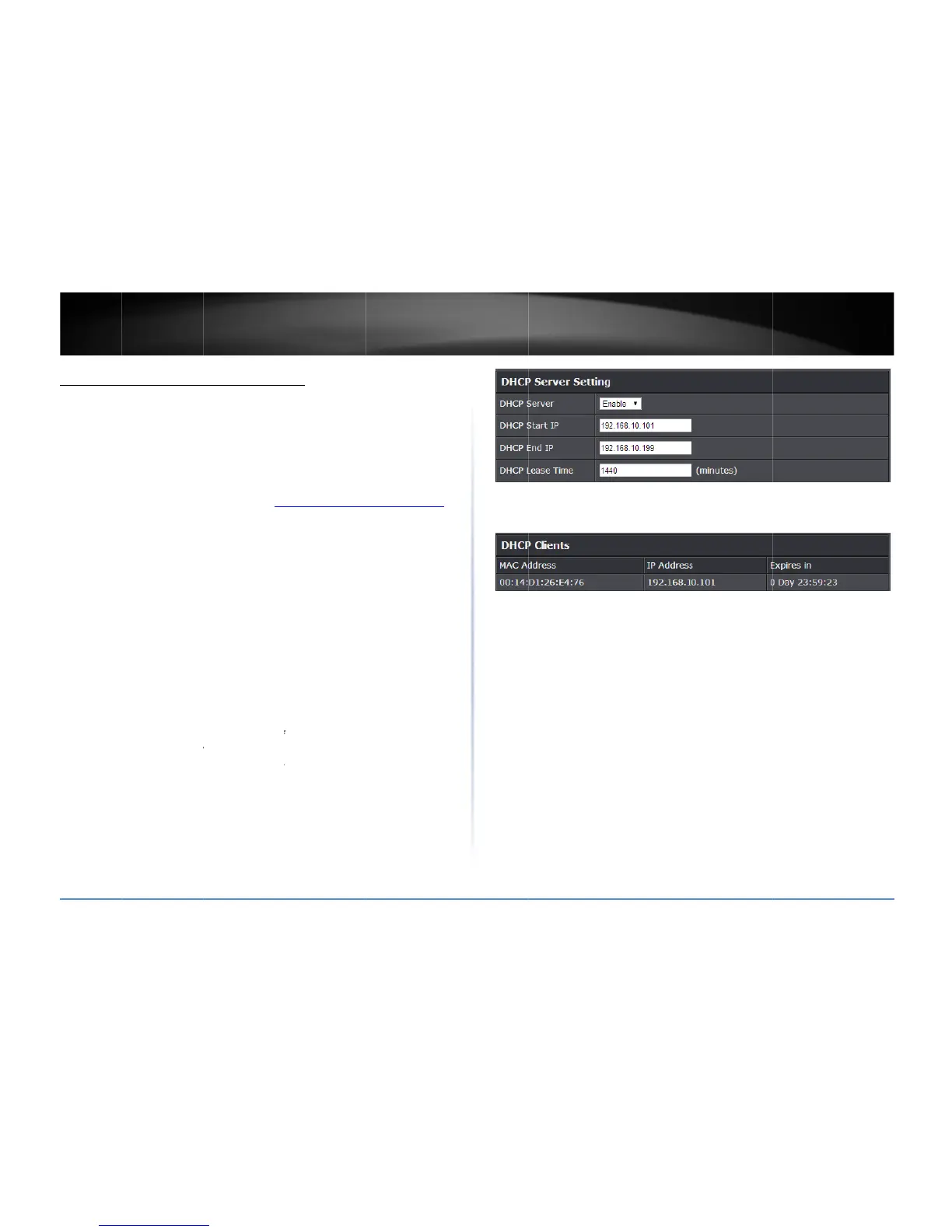
DHCP
S
DHCP
S
(e.g.1
9
DHCP
E
(e.g.1
9
Note:
T
assign
t
DHCP
L
Note:
T
anIPa
d
compu
t
otherw
realloc
a
2
014TRENDnet.Al
l
n
etUser’sG
u
e
DHCPserve
e
tup>LANSetting
s
a
nbeusedasaDH
assignanIPaddr
e
s
enabledbydefa
u
,
orifyoudonot
w
isrecommended
t
u
rroutermanage
m
v
anced
andclicko
DHCPServersetti
n
S
erver:
Enableor
D
S
tartIP:
Changest
h
9
2.168.10.20)
E
ndIP:
Changesth
e
9
2.168.10.30)
T
heStartIPandEn
d
t
ocomputersord
e
L
easeTime
Enter
T
heDHCPleaseti
m
d
dressassignedb
y
t
erordevicewillr
e
ise,ifthereisnoa
t
a
tetheIPaddress
t
l
RightsReserved.
u
ide
ronyourro
u
s
CP(DynamicHost
e
sstoeachcomput
u
ltonyourrouter.
w
anttouseyourro
t
oleavethissettin
g
m
entpage(seeA
c
n
Setup
,thenclic
k
n
gs.Click
Apply
to
D
isabletheDHCPs
e
h
estartingaddres
s
e
endingaddressf
o
d
IPspecifythera
n
e
vicesonyournet
w
theDHCPleaseti
m
m
eistheamounto
f
y
theDHCPserver.
W
e
newtheIPaddres
s
t
tempttorenewt
h
t
obeassignedto
a
u
ter
ConfigurationPro
t
erordeviceonyo
u
Ifyoualreadyhav
e
uterasaDHCPse
r
g
enabled.
c
cessyourrouter
m
k
on
LANSettings
.
savesettings.
e
rver.
s
fortheDHCPser
v
o
rtheDHCPserve
r
n
geofIPaddresses
w
ork.
m
einminutes.
f
timeacomputer
o
W
hentheleaseti
m
s
leasewiththeD
H
h
elease,theDHCP
a
nothercomputer
o
t
ocol)serverto
u
rnetwork.The
e
aDHCPservero
n
r
ver,youcandisab
m
anagementpage
v
errange.
r
range.
toautomatically
o
rdevicecankeep
m
eexpires,the
H
C
P
server,
serverwill
o
rdevice.
n
le
Youca
n
under
A
n
alsoviewthecur
r
A
dvanced>Setup
>
r
entDHCPclientsi
>
DHCPClientLis
t
.
nthe
Numberof
D

TEW828
D
D
ynamicDHCPCli
e
D
RU
28
e
nts
list

Related product manuals