EasyManua.ls Logo

TRENDnet AC3200 - Backup and Restore Configuration

TRENDnet AC3200
64 pages
Print Icon
To Next Page IconTo Next Page
To Previous Page IconTo Previous Page
Loading...
©Copyright
2
TREND
n
Note:
Forsec
u
toyourpre
d
page.
UserN
a
Passw
o
5.Reviewthe
UserN
a
Passw
o
Permis
s
user
R
e
UnderWindo
w
Computer>
N
Note:
Yourco
m
aresettoaw
o
beabletoau
t
workgroupn
a
2
014TRENDnet.Al
l
n
etUser’sG
u
u
ritypurposes,the
d
efinedusername
a
me:
Entertheus
e
o
rd:
Enterthepass
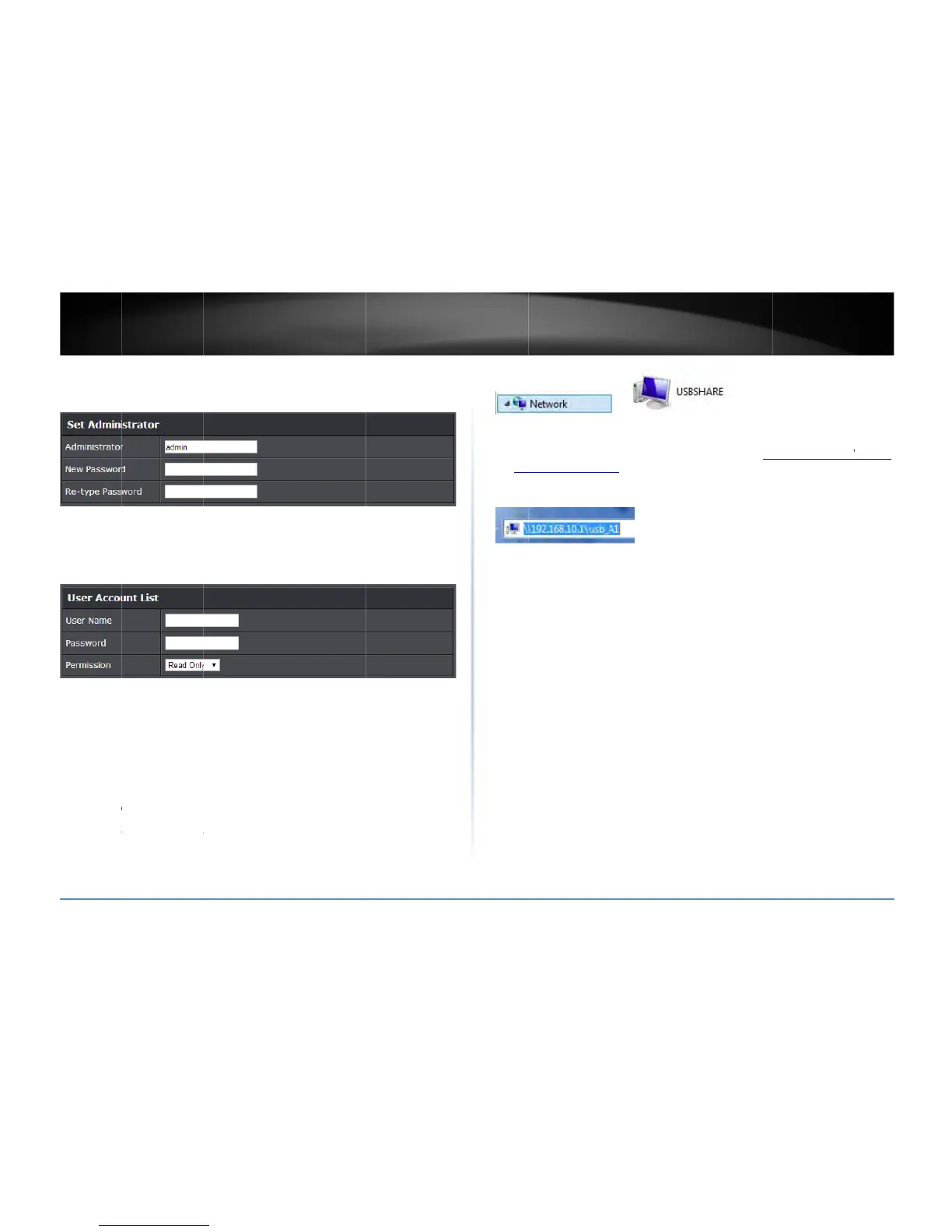
UserAccountList
a
me:
Entertheus
e
o
rd:
Enterthepass
s
ion:
Selectthepe
e
adOnly
or
Read
W
w
s®,youcanacce
s
N
etwork>USBSH
A
m
puterwillonlyb
e
o
rkgroupunderth
e
t
omaticallydiscov
e
a
me.
l
RightsReserved.
u
ide
defaultadministr
a
andpasswordset
t
e
rnametobeuse
d
wordfortheuser
n
section.Click
Add
e
rnametobeuse
d
wordfortheuser
n
rmissionyouwill
g
W
rite
accesstoth
e
s
stheUSBstorage
A
RE>usb_A1
.
e
abletoautomati
c
e
defaultname
W
e
rtheUSBstorage
d
a
torusernamean
d
t
ingtoaccessthe
r
d
toaccessyourfil
e
n
ame.

RetypePa
s
toaddtheaccoun
d
toaccessyourfil
e
n
ame.
g
ranttotheuser.
Y
e
USBstorage.
deviceonyourco
m
c
allydiscoverthe
U
W
ORKGROUP”.You
r
d
eviceifunderad
o
d
passwordareset
outermanageme
n
e
s.
s
swordtoconfirm
.
t.
e
s.
Y
oucanallowthe
m
puterunder
U
SBstorageifyou
r
computerwillno
t
o
mainordifferent
n
t
.
t
a
Under
W
canacc
(ex.\\1
follow
t
W
indows®,ifyour
essthesefilesund
92.168.10.1\usb_
A
t
hebelowstepsto

computercannot
d
eryournetwork
m
A
1)onyourbrows
e
configuretherou
t
d
iscovertheUSBs
t
m
aporbytyping\\
<
e
r’sorfileexplore
r
t
er’sSMBsettings

TEW828
D
t
orageautomatica
<
routerIPaddress>
\
r
addressbar.Plea
s
D
RU
43
lly,you
\
usb_A1
s
e

Related product manuals