EasyManua.ls Logo

TRENDnet AC3200 - Page 54

TRENDnet AC3200
64 pages
Print Icon
To Next Page IconTo Next Page
To Previous Page IconTo Previous Page
Loading...
©Copyright
2
TREND
n
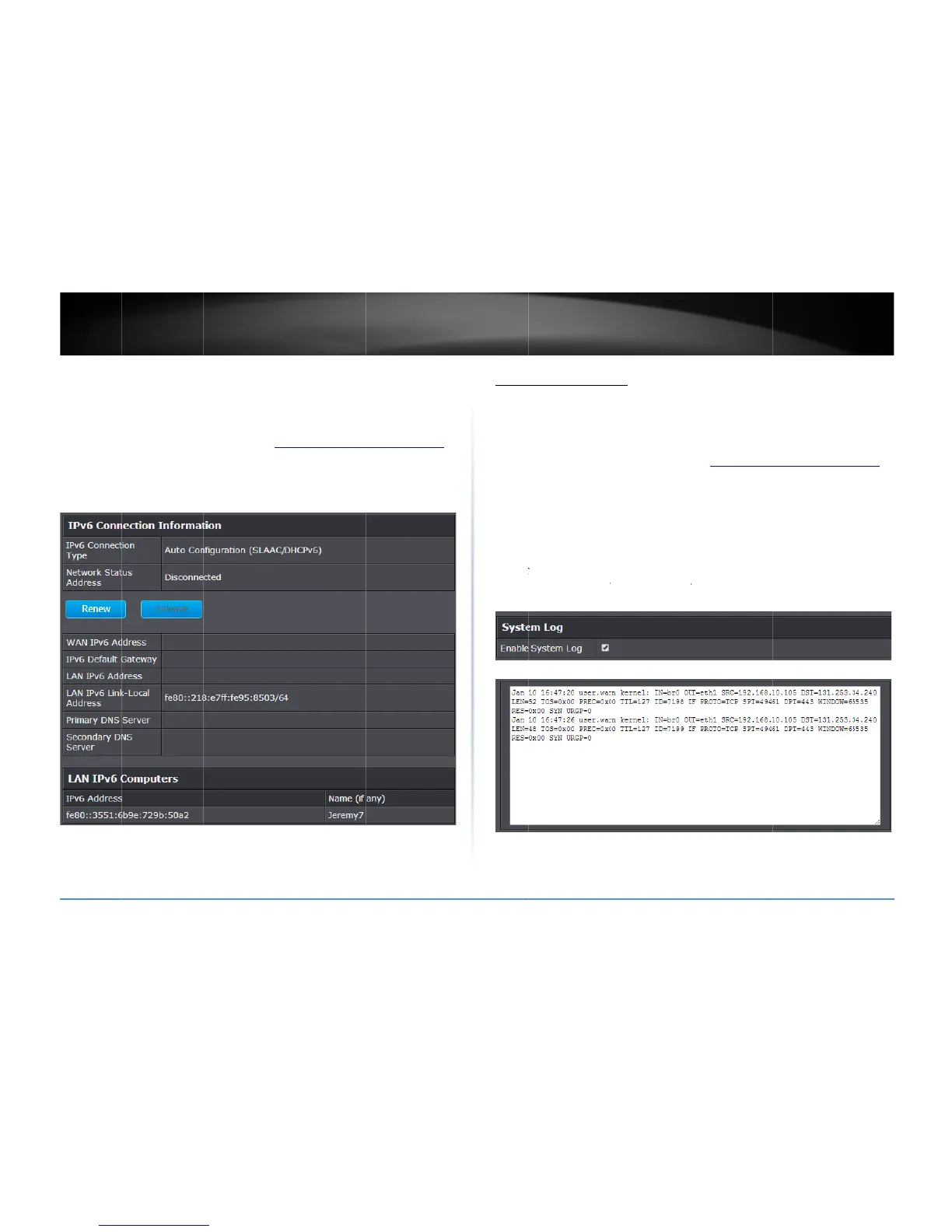
IPv6Status
A
dvanced>A
d
Youcanview
t
1.Logintoyo
u
onpage9).
2.Clickon
Ad
v
2
014TRENDnet.Al
l
n
etUser’sG
u
d
ministrator>IPv
6
t
hecurrentIPv6st
u
rroutermanage
m
v
anced
andclicko
l
RightsReserved.
u
ide
6
Status
atusonyourrout
e
m
entpage(seeA
c
n
Administrator
,t
e
r.
c
cessyourrouter
m
henclickon
IPv6
S
m
anagementpage
S
tatus
View
A
dvanc
Yourro
router
o
1.Logi
n
onp
a
2.Click
3.Chec
willdis
p
Note:
C
inform
a
LogWi
n
yourrouter
l
ed>Administrato
r
uterlogcanbeus
e
o
rfortroubleshoo
t
n
toyourrouterm
a
a
ge9).
on
Advanced
and
kthe
EnableSyst
e
p
layinthelogwin
d
C
licking
Refresh
wi
l
a
tion.Click
Clear
w
n
dow
l
og
r
>SystemLog
e
dtoobtainactivi
t
t
ingpurposes.
a
nagementpage(
s
clickon
Administr
e
mLog
optiontoe
n
d
ow.
l
lrefreshthepage
t
w
illclearanddelet
e
t
yinformationont
s
eeAccessyourr
o
ator
,thenclickon
n
ablelogging.The
n
t
oensuredisplay
o
e
allofthecurrent
l

TEW828
D
hefunctionalityo
f
o
utermanagemen
t
SystemLog.
n
click
Apply
.Thel
o
fthemostrecent
l
l
ogginginformatio
D
RU
51
f
your
t
page
ogging
l
ogging
n.

Related product manuals